Pre-alpha Amnesia for Obsidian
Keep your books closer to your thoughts.
Read EPUBs and PDFs inside Obsidian. Navigate the whole book, change how pages flow, highlight in place, and bring any selection into Markdown.
Que trata de la condición y ejercicio del famoso y valiente hidalgo don Quijote de la Mancha1
En un lugar de la Mancha,2 de cuyo nombre no quiero acordarme,3 no ha mucho tiempo que vivía un hidalgo de los de lanza en astillero, adarga antigua, rocín flaco y galgo corredor.4 Una olla de algo más vaca que carnero, salpicón las más noches,5 duelos y quebrantos los sábados,6 lantejas los viernes,7 algún palomino de añadidura los domingos,8 consumían las tres partes de su hacienda.9 El resto della concluían sayo de velarte,10 calzas de velludo para las fiestas, con sus pantuflos de lo mesmo,11 y los días de entresemana se honraba con su vellorí de lo más fino.12 Tenía en su casa una ama que pasaba de los cuarenta y una sobrina que no llegaba a los veinte, y un mozo de campo y plaza13 que así ensillaba el rocín como tomaba la podadera. Frisaba la edad de nuestro hidalgo con los cincuenta años.14 Era de complexión recia, seco de carnes, enjuto de rostro,15 gran madrugador y amigo de la caza. Quieren decir que tenía el sobrenombre de «Quijada», o «Quesada», que en esto hay alguna diferencia en los autores que deste caso escriben, aunque por conjeturas verisímiles se deja entender que se llamaba «Quijana».16 Pero esto importa poco a nuestro cuento: basta que en la narración dél no se salga un punto de la verdad.
Es, pues, de saber que este sobredicho hidalgo, los ratos que estaba ocioso –que eran los más del año–, se daba a leer libros de caballerías, con tanta afición y gusto, que olvidó casi de todo punto el ejercicio de la caza y aun la administración de su hacienda; y llegó a tanto su curiosidad17 y desatino en esto, que vendió muchas hanegas de tierra de sembradura para comprar libros de caballerías en que leer,18 y, así, llevó a su casa todos cuantos pudo haber dellos; y, de todos, ningunos le parecían tan bien como los que compuso el famoso Feliciano de Silva,19 porque la claridad de su prosa y aquellas entricadas razones suyas le parecían de perlas, y más cuando llegaba a leer aquellos requiebros y cartas de desafíos,20 donde en muchas partes hallaba escrito: «La razón de la sinrazón que a mi razón se hace, de tal manera mi razón enflaquece, que con razón me quejo de la vuestra fermosura».21 Y también cuando leía: «Los altos cielos que de vuestra divinidad divinamente con las estrellas os fortifican y os hacen merecedora del merecimiento que merece la vuestra grandeza…».22
Con estas razones perdía el pobre caballero el juicio, y desvelábase por entenderlas y desentrañarles el sentido, que no se lo sacara ni las entendiera el mesmo Aristóteles, si resucitara para sólo ello. No estaba muy bien con las heridas que don Belianís daba y recebía, porque se imaginaba que, por grandes maestros que le hubiesen curado, no dejaría de tener el rostro y todo el cuerpo lleno de cicatrices y señales.23 Pero, con todo, alababa en su autor aquel acabar su libro con la promesa de aquella inacabable aventura, y muchas veces le vino deseo de tomar la pluma y dalle fin al pie de la letra como allí se promete;24 y sin duda alguna lo hiciera, y aun saliera con ello,25 si otros mayores y continuos pensamientos no se lo estorbaran. Tuvo muchas veces competencia con el cura de su lugar –que era hombre docto, graduado en Cigüenza–26 sobre cuál había sido mejor caballero: Palmerín de Ingalaterra o Amadís de Gaula;27 mas maese Nicolás, barbero del mesmo pueblo,28 decía que ninguno llegaba al Caballero del Febo, y que si alguno se le podía comparar era don Galaor, hermano de Amadís de Gaula, porque tenía muy acomodada condición para todo, que no era caballero melindroso, ni tan llorón como su hermano, y que en lo de la valentía no le iba en zaga.29
En resolución, él se enfrascó tanto en su letura, que se le pasaban las noches leyendo de claro en claro,30 y los días de turbio en turbio; y así, del poco dormir y del mucho leer, se le secó el celebro de manera que vino a perder el juicio.31 Llenósele la fantasía de todo aquello que leía en los libros, así de encantamentos como de pendencias, batallas, desafíos, heridas, requiebros, amores, tormentas y disparates imposibles; y asentósele de tal modo en la imaginación que era verdad toda aquella máquina de aquellas soñadas invenciones que leía,32 que para él no había otra historia más cierta en el mundo.33 Decía él que el Cid Ruy Díaz había sido muy buen caballero, pero que no tenía que ver con el Caballero de la Ardiente Espada, que de sólo un revés había partido por medio dos fieros y descomunales gigantes.34 Mejor estaba con Bernardo del Carpio, porque en Roncesvalles había muerto a Roldán, el encantado,35 valiéndose de la industria de Hércules, cuando ahogó a Anteo, el hijo de la Tierra, entre los brazos.36 Decía mucho bien del gigante Morgante, porque, con ser de aquella generación gigantea, que todos son soberbios y descomedidos, él solo era afable y bien criado.37 Pero, sobre todos, estaba bien con Reinaldos de Montalbán, y más cuando le veía salir de su castillo y robar cuantos topaba, y cuando en allende robó aquel ídolo de Mahoma que era todo de oro, según dice su historia.38 Diera él, por dar una mano de coces al traidor de Galalón,39 al ama que tenía, y aun a su sobrina de añadidura.
En efeto, rematado ya su juicio,40 vino a dar en el más estraño pensamiento que jamás dio loco en el mundo,41 y fue que le pareció convenible y necesario, así para el aumento de su honra como para el servicio de su república,42 hacerse caballero andante y irse por todo el mundo con sus armas y caballo a buscar las aventuras y a ejercitarse en todo aquello que él había leído que los caballeros andantes se ejercitaban, deshaciendo todo género de agravio y poniéndose en ocasiones y peligros donde, acabándolos,43 cobrase eterno nombre y fama. Imaginábase el pobre ya coronado por el valor de su brazo, por lo menos del imperio de Trapisonda;44 y así, con estos tan agradables pensamientos, llevado del estraño gusto que en ellos sentía,45 se dio priesa a poner en efeto lo que deseaba. Y lo primero que hizo fue limpiar unas armas que habían sido de sus bisabuelos, que, tomadas de orín y llenas de moho, luengos siglos había que estaban puestas y olvidadas en un rincón. Limpiolas y aderezolas lo mejor que pudo; pero vio que tenían una gran falta, y era que no tenían celada de encaje, sino morrión simple;46 mas a esto suplió su industria,47 porque de cartones hizo un modo de media celada que, encajada con el morrión, hacían una apariencia de celada entera.48 Es verdad que, para probar si era fuerte y podía estar al riesgo de una cuchillada,49 sacó su espada50 y le dio dos golpes,51 y con el primero y en un punto deshizo lo que había hecho en una semana; y no dejó de parecerle mal la facilidad con que la había hecho pedazos, y, por asegurarse deste peligro,52 la tornó a hacer de nuevo, poniéndole unas barras de hierro por de dentro, de tal manera, que él quedó satisfecho de su fortaleza y, sin querer hacer nueva experiencia della, la diputó y tuvo por celada finísima de encaje.
Fue luego a ver su rocín, y aunque tenía más cuartos que un real53 y más tachas que el caballo de Gonela, que «tantum pellis et ossa fuit»,54 le pareció que ni el Bucéfalo de Alejandro ni Babieca el del Cid con él se igualaban. Cuatro días se le pasaron en imaginar qué nombre le pondría;55 porque –según se decía él a sí mesmo– no era razón que caballo de caballero tan famoso, y tan bueno él por sí, estuviese sin nombre conocido;56 y ansí procuraba acomodársele, de manera que declarase quién había sido antes que fuese de caballero andante y lo que era entonces; pues estaba muy puesto en razón que, mudando su señor estado, mudase él también el nombre, y le cobrase famoso y de estruendo, como convenía a la nueva orden y al nuevo ejercicio que ya profesaba;57 y así, después de muchos nombres que formó, borró y quitó, añadió, deshizo y tornó a hacer en su memoria e imaginación,58 al fin le vino a llamar «Rocinante», nombre, a su parecer, alto, sonoro y significativo de lo que había sido cuando fue rocín, antes de lo que ahora era, que era antes y primero de todos los rocines del mundo.59
Del buen suceso1 que el valeroso don Quijote tuvo en la espantable y jamás imaginada aventura de los molinos de viento, con otros sucesos dignos de felice recordación2
En esto, descubrieron treinta o cuarenta molinos de viento que hay en aquel campo, y así como don Quijote los vio, dijo a su escudero:
–La ventura va guiando nuestras cosas mejor de lo que acertáramos a desear; porque ves allí, amigo Sancho Panza, donde se descubren treinta o pocos más desaforados gigantes, con quien pienso hacer batalla y quitarles a todos las vidas, con cuyos despojos comenzaremos a enriquecer, que ésta es buena guerra,3 y es gran servicio de Dios quitar tan mala simiente de sobre la faz de la tierra.4
–¿Qué gigantes? –dijo Sancho Panza.
–Aquellos que allí ves –respondió su amo–, de los brazos largos, que los suelen tener algunos de casi dos leguas.
–Mire vuestra merced –respondió Sancho– que aquellos que allí se parecen no son gigantes,5 sino molinos de viento, y lo que en ellos parecen brazos son las aspas, que, volteadas del viento, hacen andar la piedra del molino.
–Bien parece –respondió don Quijote– que no estás cursado en esto de las aventuras:6 ellos son gigantes; y si tienes miedo quítate de ahí, y ponte en oración en el espacio que yo voy a entrar con ellos en fiera y desigual batalla.7
Y, diciendo esto, dio de espuelas a su caballo Rocinante,8 sin atender a las voces que su escudero Sancho le daba, advirtiéndole que sin duda alguna eran molinos de viento, y no gigantes, aquellos que iba a acometer. Pero él iba tan puesto en que eran gigantes,9 que ni oía las voces de su escudero Sancho, ni echaba de ver, aunque estaba ya bien cerca, lo que eran, antes iba diciendo en voces altas:
–Non fuyades,10 cobardes y viles criaturas, que un solo caballero es el que os acomete.
Levantose en esto un poco de viento, y las grandes aspas comenzaron a moverse, lo cual visto por don Quijote, dijo:
–Pues aunque mováis más brazos que los del gigante Briareo,11 me lo habéis de pagar.
Y en diciendo esto, y encomendándose de todo corazón a su señora Dulcinea, pidiéndole que en tal trance le socorriese, bien cubierto de su rodela, con la lanza en el ristre,12 arremetió a todo el galope de Rocinante y embistió con el primero molino que estaba delante; y dándole una lanzada en el aspa, la volvió el viento con tanta furia, que hizo la lanza pedazos, llevándose tras sí al caballo y al caballero,13 que fue rodando muy maltrecho por el campo. Acudió Sancho Panza a socorrerle, a todo el correr de su asno, y cuando llegó halló que no se podía menear: tal fue el golpe que dio con él Rocinante.
–¡Válame Dios! –dijo Sancho–. ¿No le dije yo a vuestra merced que mirase bien lo que hacía, que no eran sino molinos de viento, y no lo podía ignorar sino quien llevase otros tales en la cabeza?
–Calla, amigo Sancho –respondió don Quijote–, que las cosas de la guerra más que otras están sujetas a continua mudanza;14 cuanto más, que yo pienso, y es así verdad,15 que aquel sabio Frestón que me robó el aposento y los libros ha vuelto estos gigantes en molinos, por quitarme la gloria de su vencimiento: tal es la enemistad que me tiene; mas al cabo al cabo16
han de poder poco sus malas artes contra la bondad de mi espada.
The scene tests the boundary between a source, a perception, and the account built from it.
“las cosas de la guerra más que otras están sujetas a continua mudanza”
“han de poder poco sus malas artes contra la bondad de mi espada”
01The reader in motion
Read the whole book, not a flattened preview.
Amnesia keeps EPUBs and PDFs at the center of the workspace, with navigation and page modes designed for long-form reading.
Leonard Susskind & George Hrabovsky
The Limits of Precision
Laplace may have been overly optimistic about how predictable the world is, even in classical physics. He certainly would have agreed that predicting the future would require a perfect knowledge of the dynamical laws governing the world, as well as tremendous computing power—what he called an “intellect vast enough to submit these data to analysis.” But there is another element that he may have underestimated: the ability to know the initial conditions with almost perfect precision. Imagine a die with a million faces, each of which is labeled with a symbol similar in appearance to the usual single-digit integers, but with enough slight differences so that there are a million distinguishable labels. If one knew the dynamical law, and if one were able to recognize the initial label, one could predict the future history of the die. However, if Laplace’s vast intellect suffered from a slight vision impairment, so that he was unable to distinguish among similar labels, his predicting ability would be limited.
In the real world, it’s even worse; the space of states is continuously infinite. The ability to distinguish neighboring values is the resolving power of any experiment, and for any real observer it is limited. In principle we cannot know the initial conditions with infinite precision. In most cases the tiniest differences in the initial conditions—the starting state—leads to large eventual differences in outcomes. This phenomenon is called chaos.If a system is chaotic, the time over which it is predictable is limited.
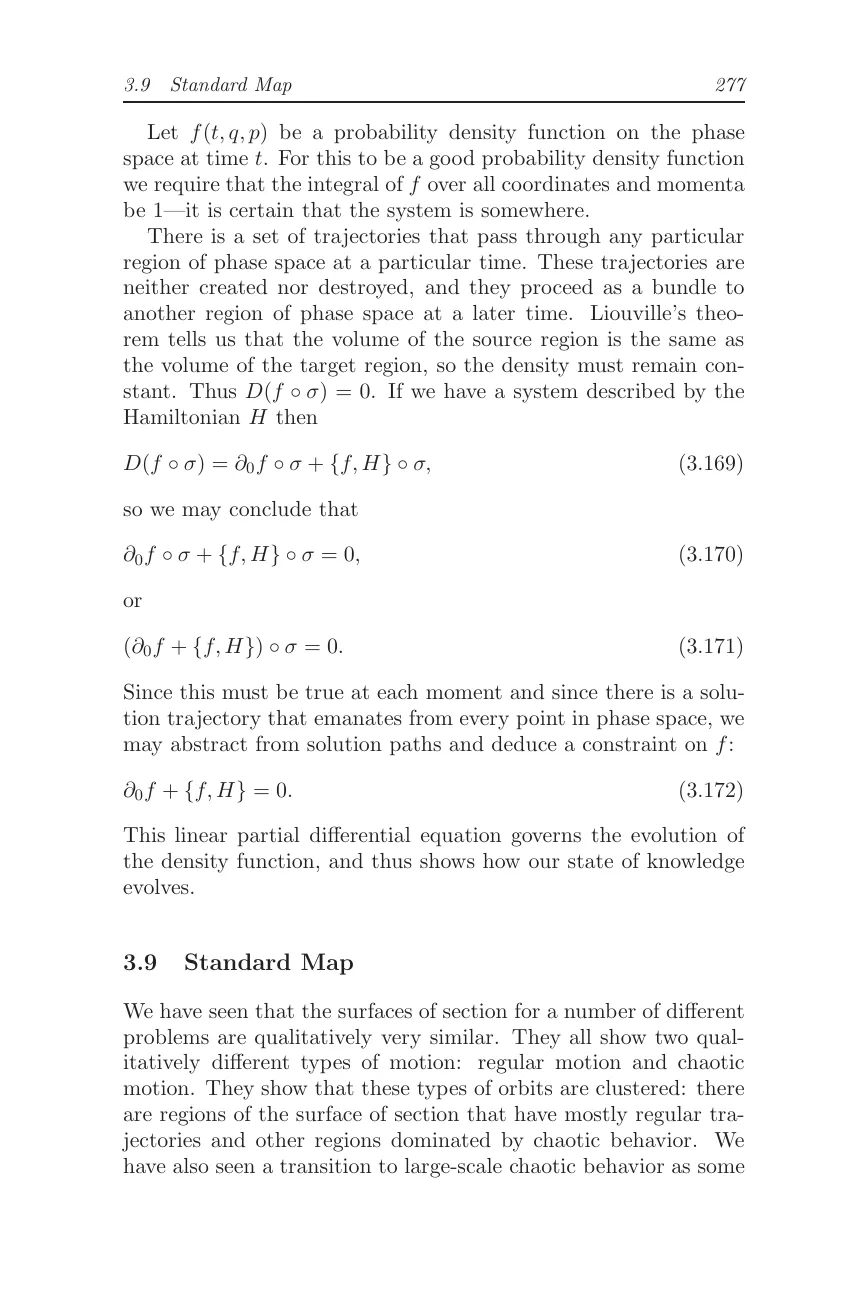
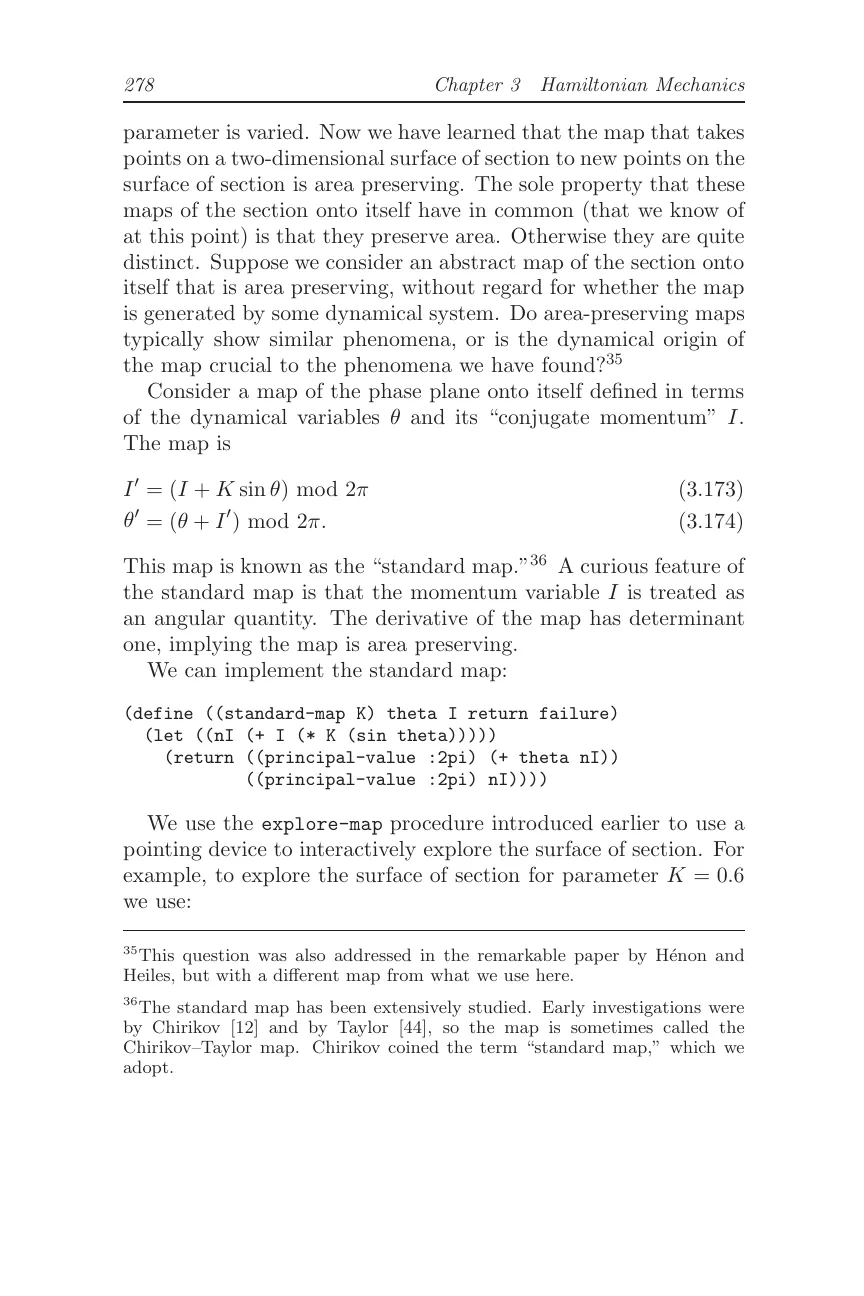
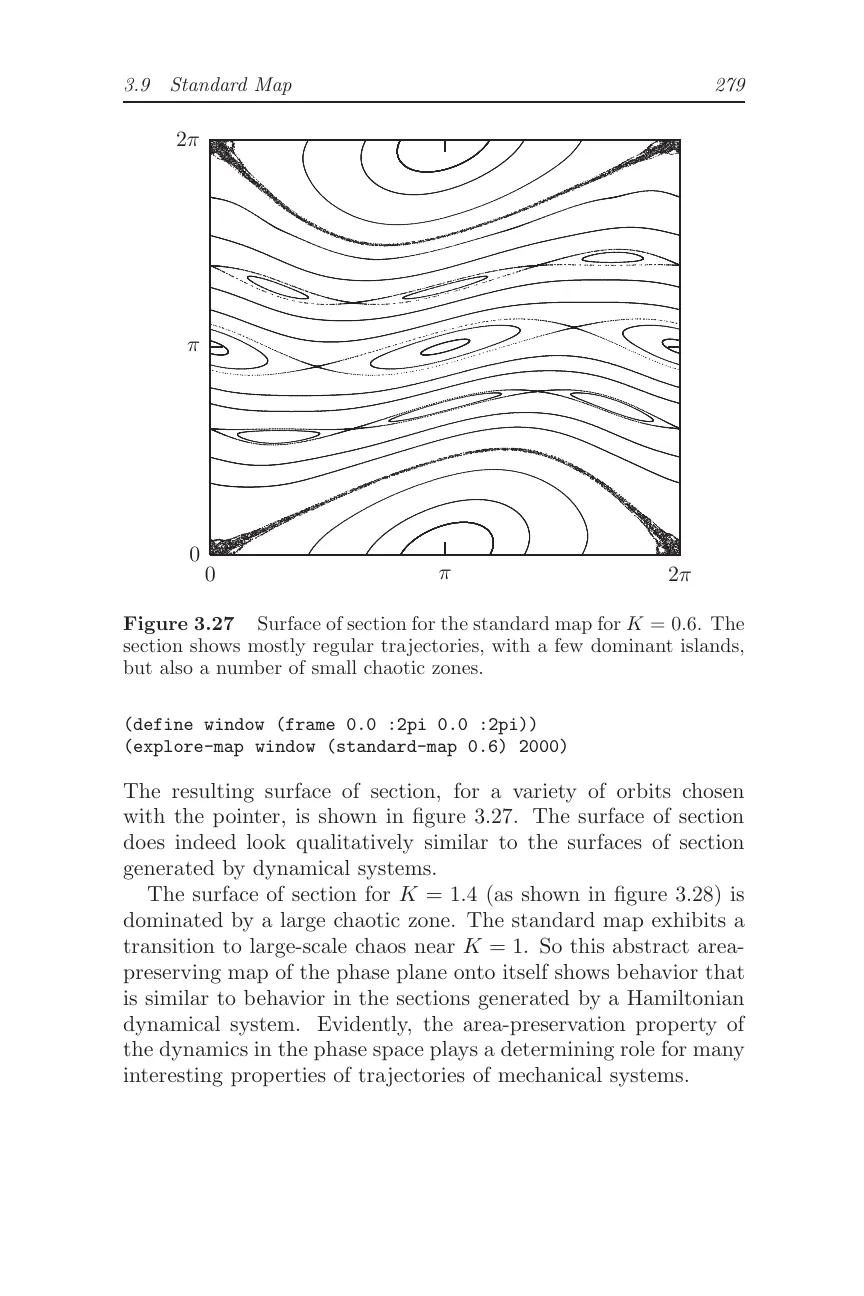
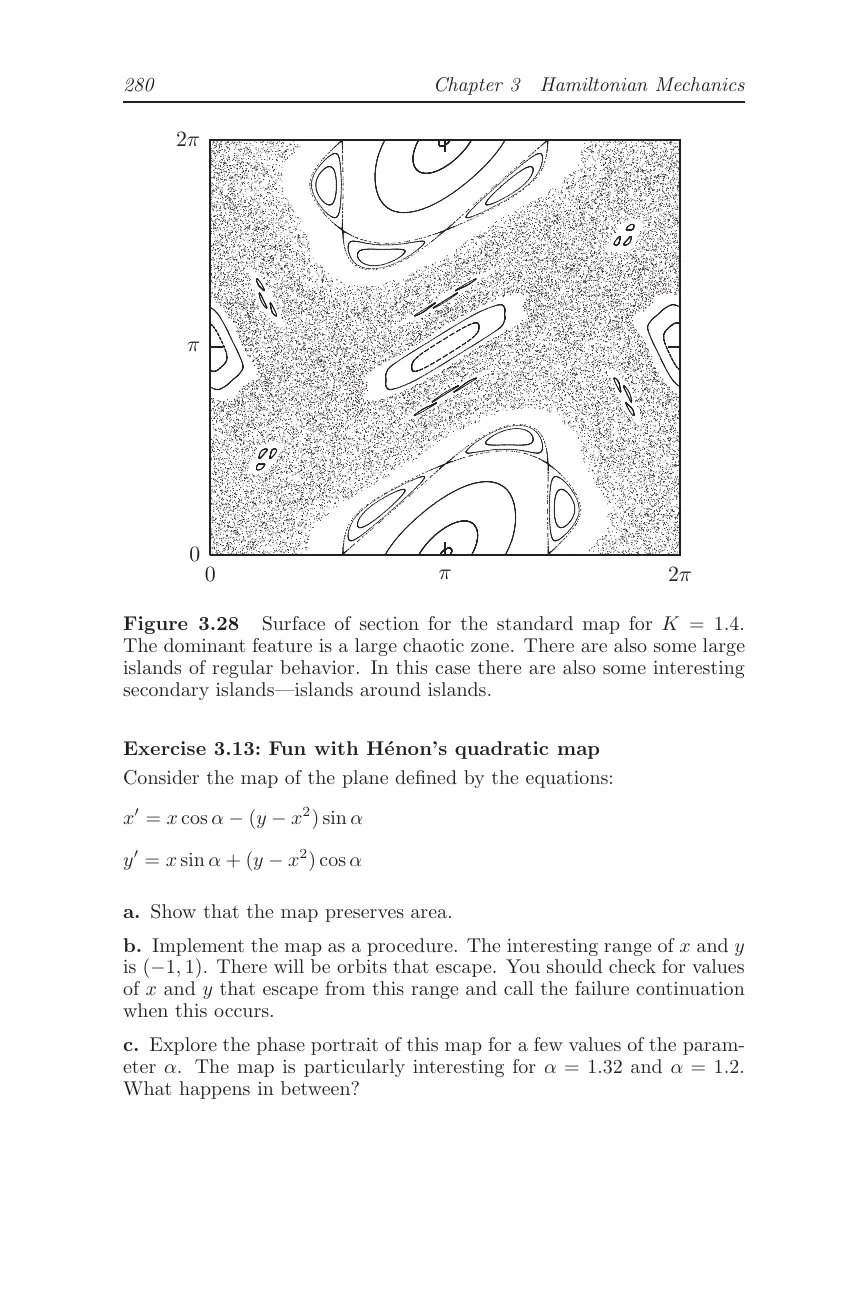 p. 299 · standard map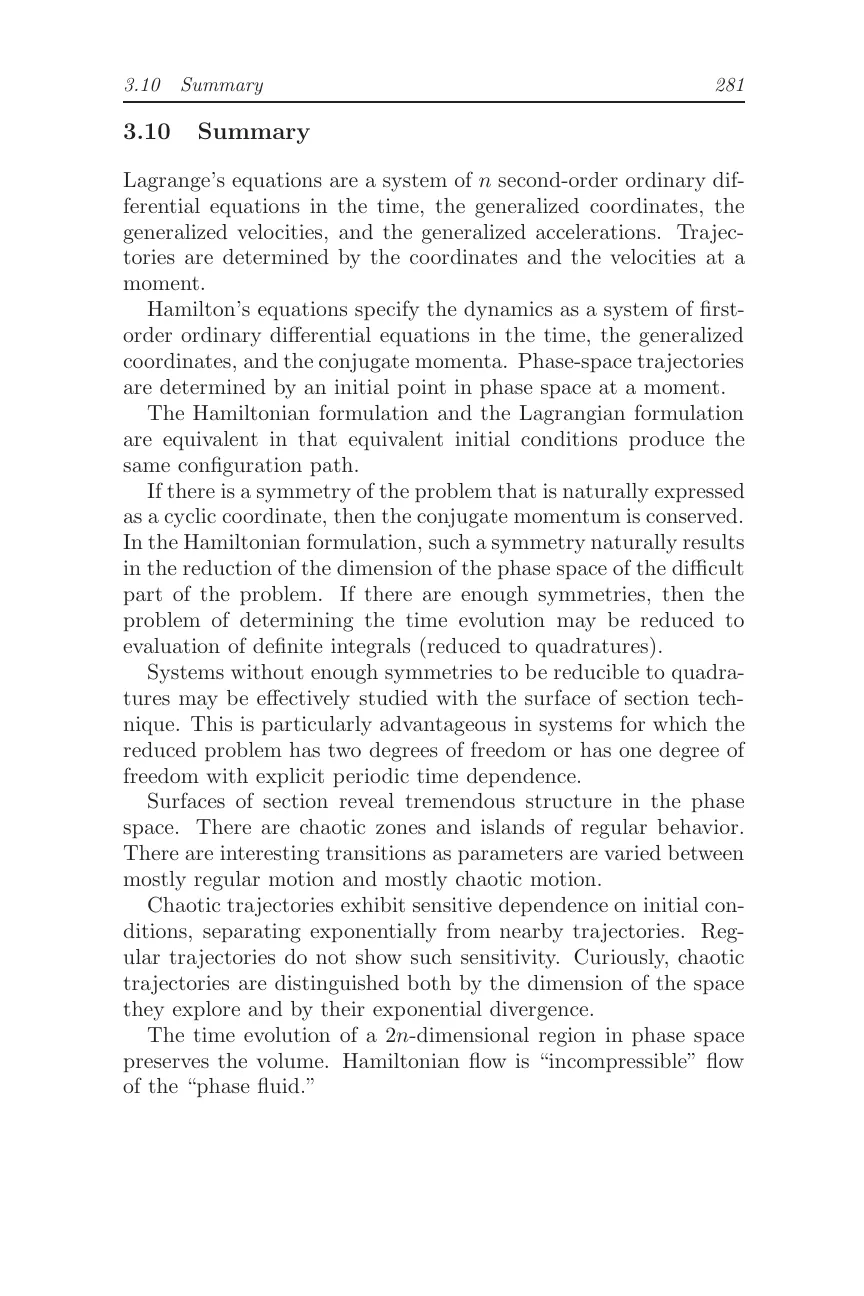
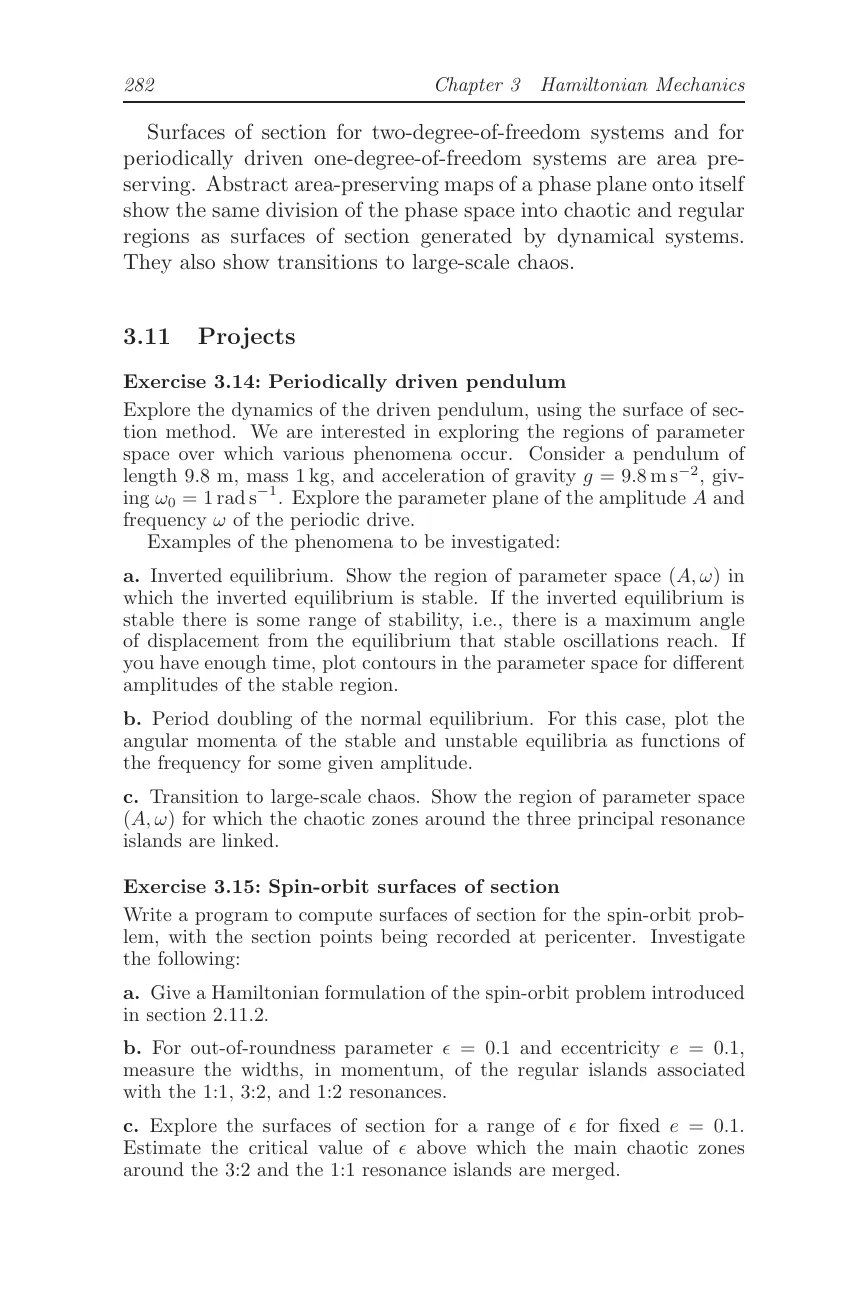
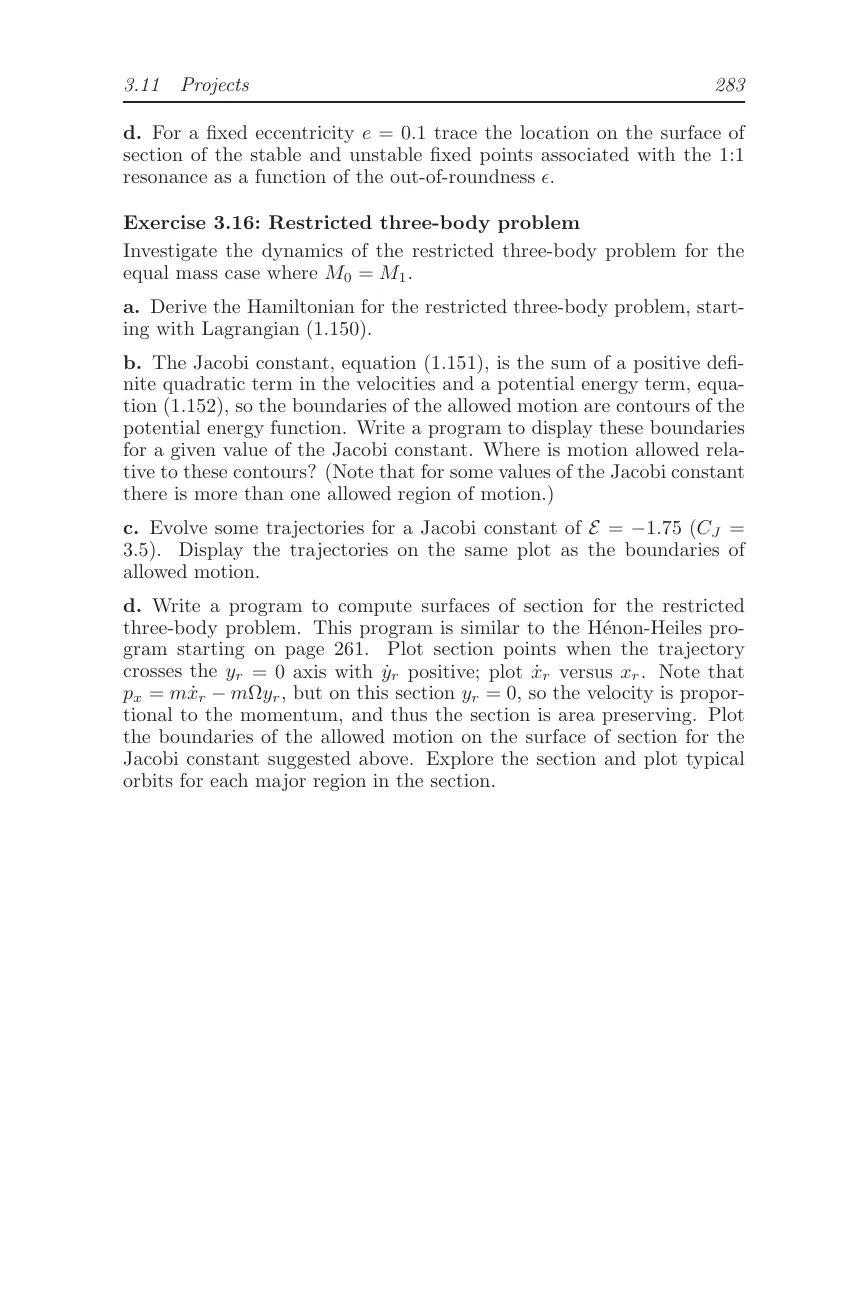 p. 299 · standard map
 3
3 8
8 20
20 34
34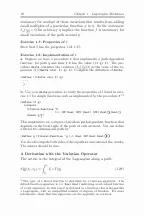 48
48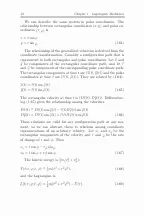 62
62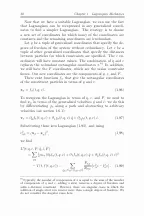 76
76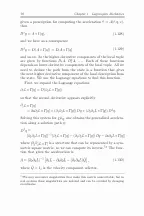 90
90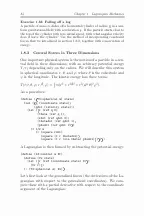 104
104 118
118 132
132 146
146 160
160 174
174 188
188 202
202 216
216 230
230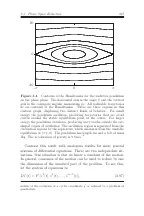 244
244 258
258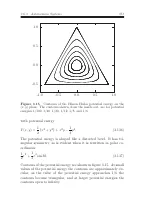 272
272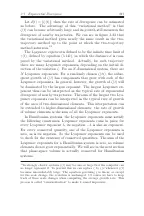 286
286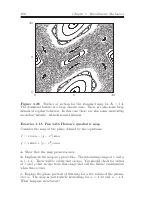 299
299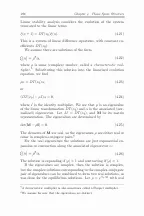 314
314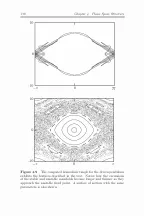 328
328 342
342 356
356 370
370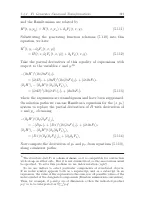 384
384 398
398 412
412 426
426 440
440 454
454 468
468 482
482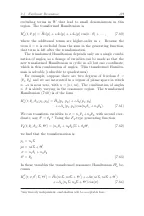 496
496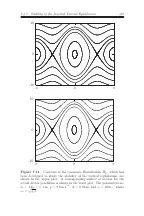 510
510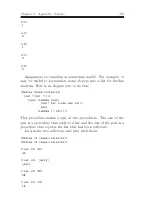 524
524 538
538 552
552 56838203448627690104118132146160174188202216230244258272286299314328342356370384398412426440454468482496510524538552568
Why doesn’t determinism guarantee predictability?
Determinism assigns one evolution to one exact state. Prediction begins from a measured neighborhood with finite precision.
Why doesn’t determinism guarantee predictability?
Evidence
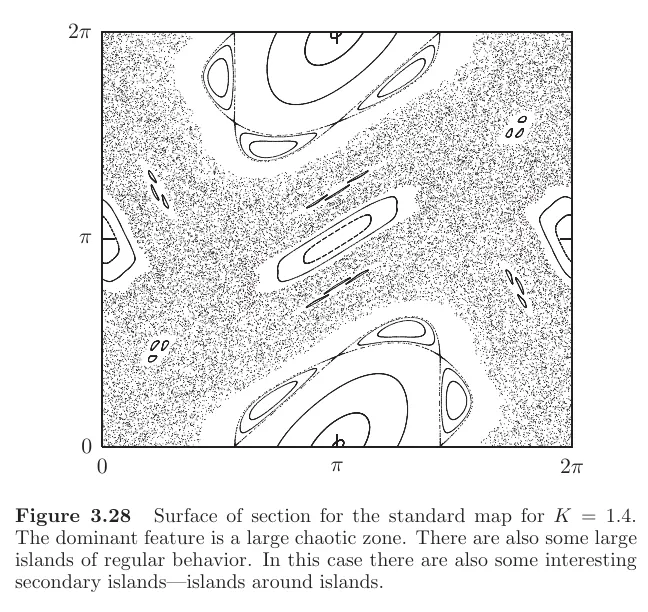
The passage supplies the observational limit. The page region supplies the geometry: regular islands persist inside a large chaotic zone.
Classical Mechanics · The Limits of Precision“In principle we cannot know the initial conditions with infinite precision… the time over which the system is predictable is limited.”EPUB · Lecture 1
Modeling decision
- Make initial-state uncertainty a first-class input.
- Report a forecast horizon.
- Use an ensemble once evolved uncertainty exceeds tolerance.
02Obsidian, extended
Use the patterns you already know.
Bases, Workspaces, Canvas, ⌘E, and wikilinks keep behaving like Obsidian. Amnesia adds books to that vocabulary instead of sending you to a separate reading environment.
01Bases
Let the library organize itself.
A single Library Base becomes a set of native Card views. Move from Physics to Philosophy to Software Engineering without copying a catalog into a second app.























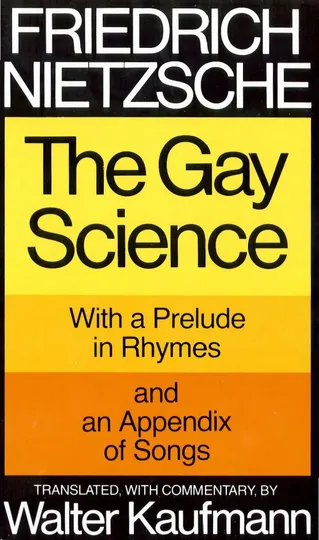
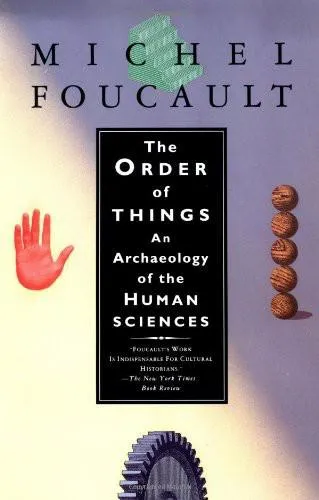

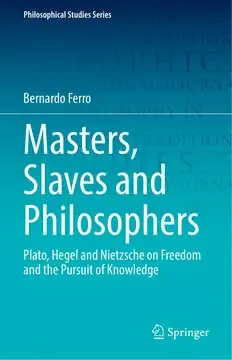







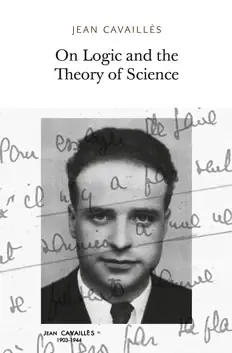
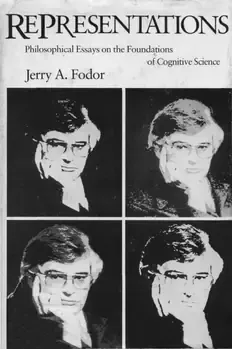
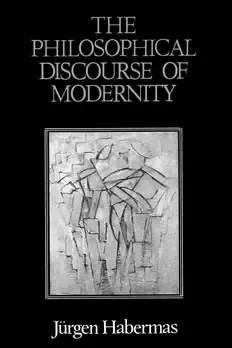
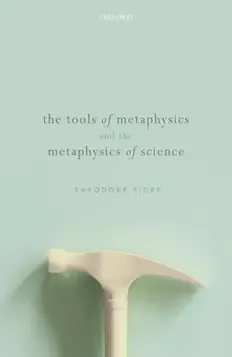


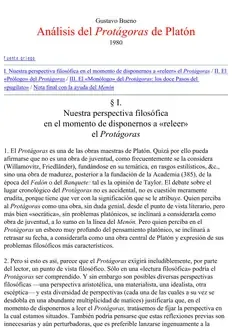






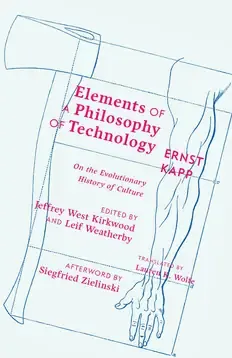



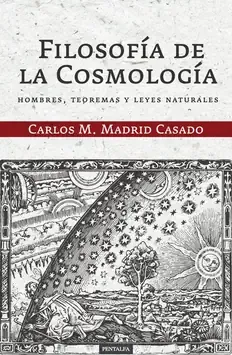

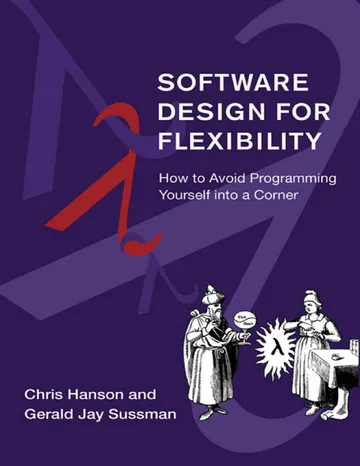



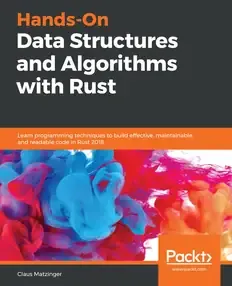

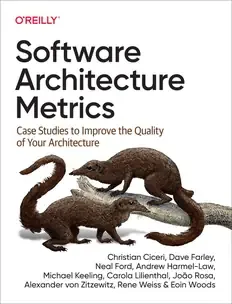







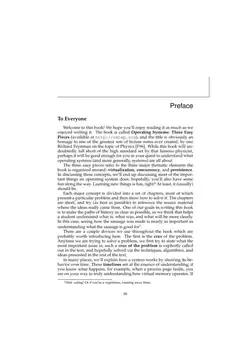

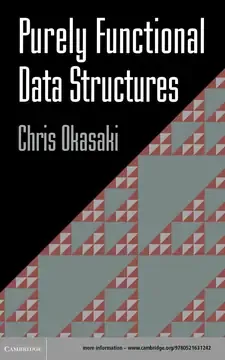
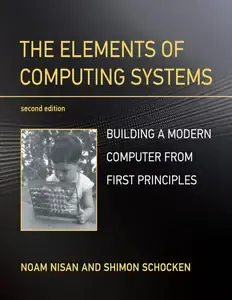



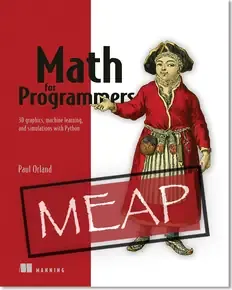
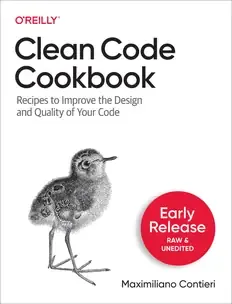
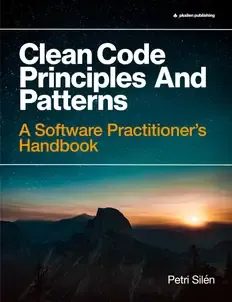
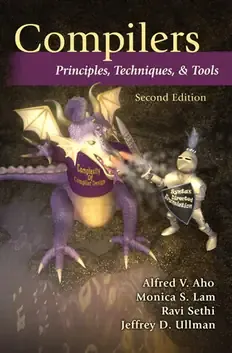
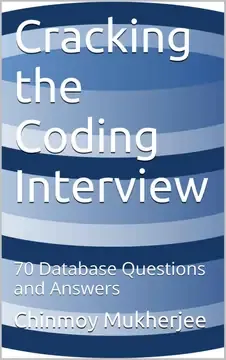



02Split views and Canvas
Put the source beside your notes.
Read a note, scan adjacent PDF pages, and place the same material on Canvas. The arrangement changes while the passage remains easy to reopen.
Captivity as method
When the source remains addressable, the archive can become part of the argument rather than its footnote.
Writing from his prison, Sosa claimed that he wrote every single day…
How does captivity change the way an account is remembered?
Page 20Page 21The archive becomes a second memory through which the narrated self can return.
03Workspaces
Return to your reading layout intact.
Saved Workspaces restore a real book sidebar, PDF contents, worked notes, and a Bases query together. Each desk is shaped around the material instead of repeating one layout.
Leonard Susskind & George Hrabovsky
The Limits of Precision
Laplace may have been overly optimistic about how predictable the world is, even in classical physics. He certainly would have agreed that predicting the future would require a perfect knowledge of the dynamical laws governing the world, as well as tremendous computing power—what he called an “intellect vast enough to submit these data to analysis.” But there is another element that he may have underestimated: the ability to know the initial conditions with almost perfect precision. Imagine a die with a million faces, each of which is labeled with a symbol similar in appearance to the usual single-digit integers, but with enough slight differences so that there are a million distinguishable labels. If one knew the dynamical law, and if one were able to recognize the initial label, one could predict the future history of the die. However, if Laplace’s vast intellect suffered from a slight vision impairment, so that he was unable to distinguish among similar labels, his predicting ability would be limited.
In the real world, it’s even worse; the space of states is continuously infinite. The ability to distinguish neighboring values is the resolving power of any experiment, and for any real observer it is limited. In principle we cannot know the initial conditions with infinite precision. In most cases the tiniest differences in the initial conditions—the starting state—leads to large eventual differences in outcomes. This phenomenon is called chaos.If a system is chaotic, the time over which it is predictable is limited.
“We cannot know the initial conditions with infinite precision.”Theoretical Minimum · Lecture 1
“The time over which the system is predictable is limited.”Theoretical Minimum · Lecture 1
“The dominant feature is a large chaotic zone.”SICM · page 299
“There are also some large islands of regular behavior.”SICM · page 299
“A single field excitation is created at y and found at x.”QFT · page 180
“The blob represents the interactions that the particle undergoes.”QFT · Figure 17.6
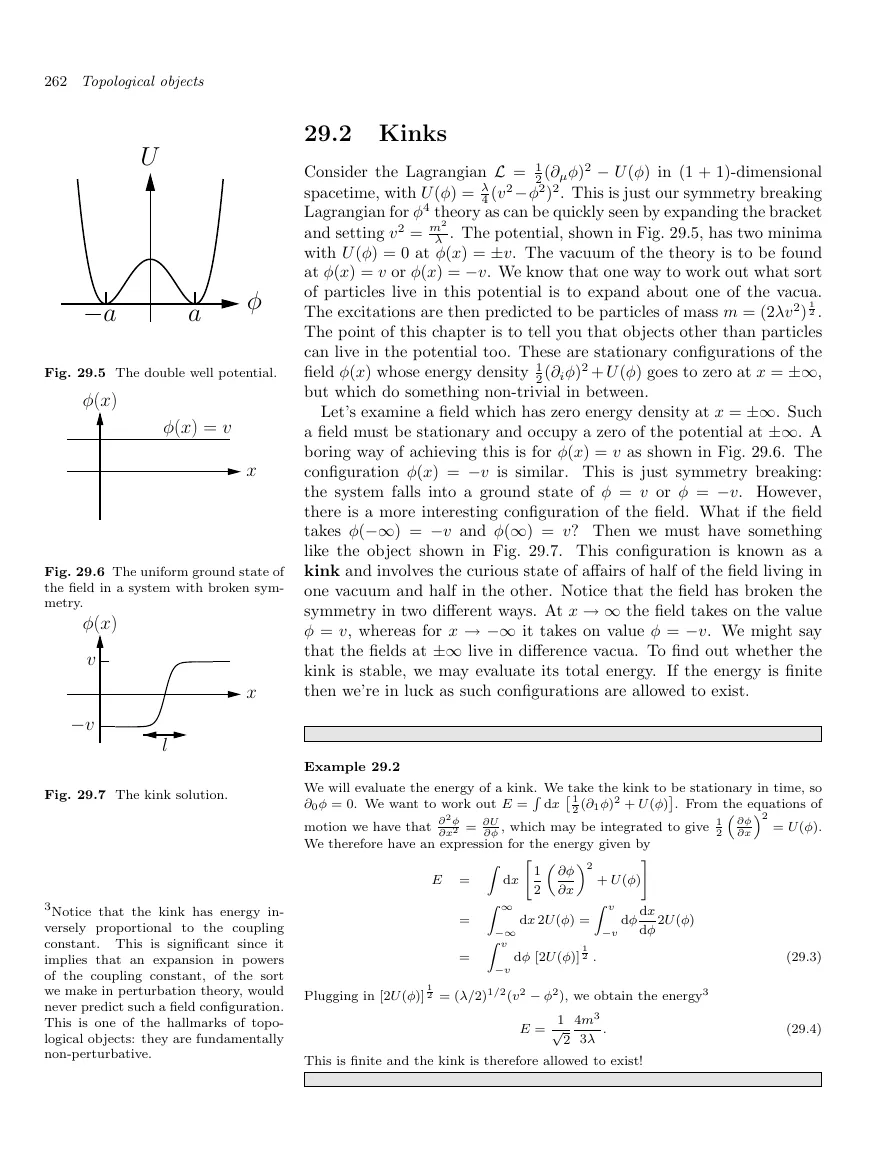
“Objects other than particles can live in the potential too.”QFT · page 280
“Half of the field lives in one vacuum and half in the other.”QFT · Kinks
Determinism fixes an evolution; measurement fixes only a neighborhood.Prediction limits.md
The useful question is not whether the law is exact, but how long the state remains distinguishable.Prediction limits.md
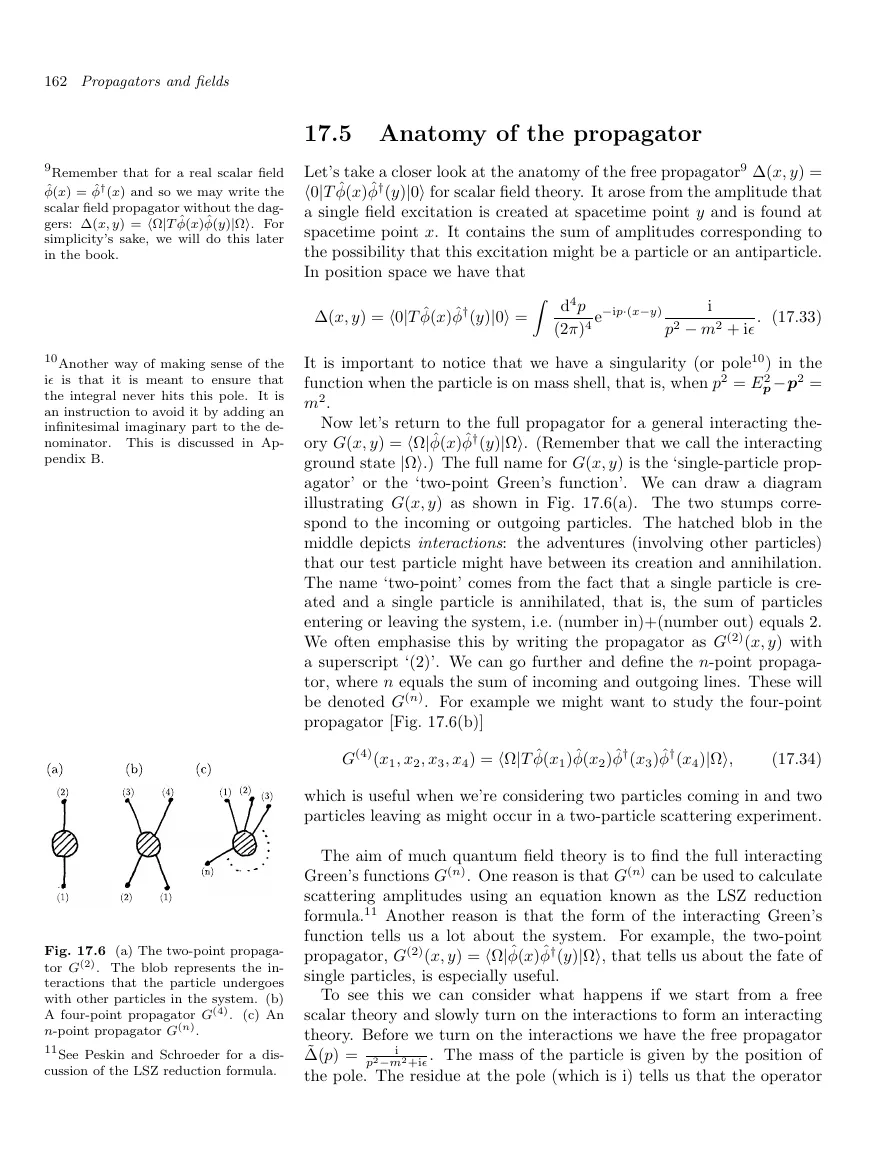 QFT · p. 180interaction as a diagram
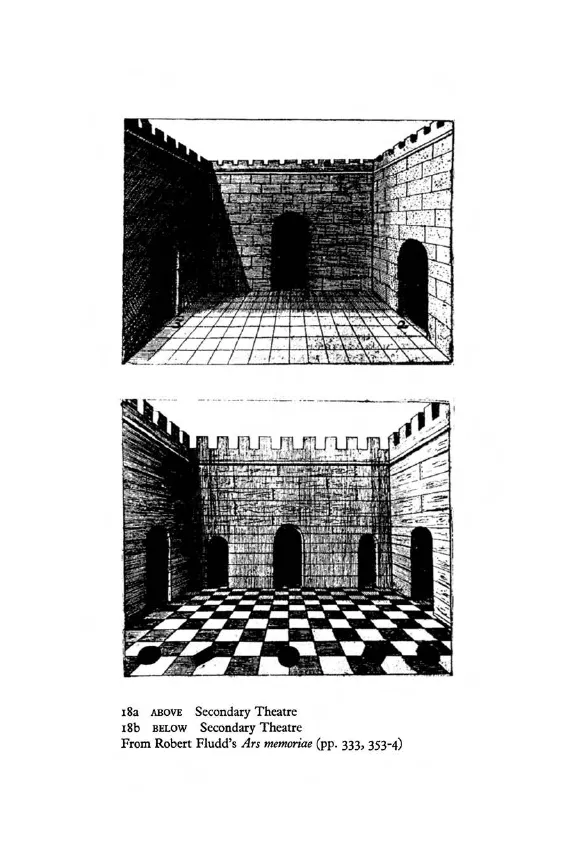 The Art of Memory · p. 380space as retrievalSICM · p. 299structure inside chaos
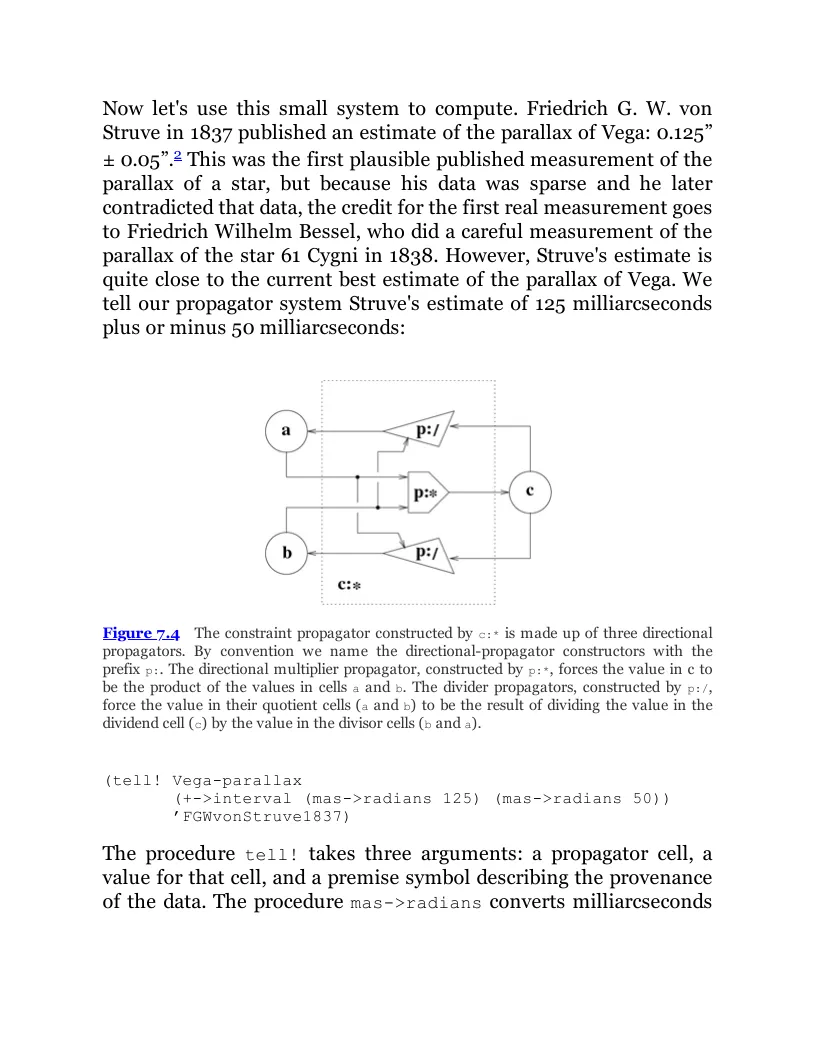 Software Design · p. 400constraint as wiring
A diagram does more than decorate prose when its geometry carries a relation the claim depends on.
Diagrams as working memory
Across four books, the figure is not an afterthought. It is where the relation becomes inspectable.
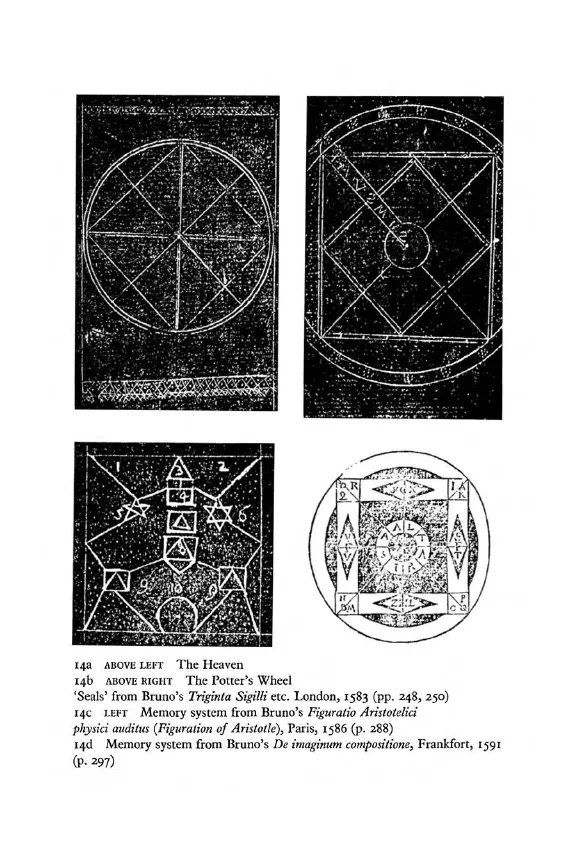 The Art of Memory · p. 360The Art of Memory · p. 380
Building Abstractions with Procedures
We have used primitive operations, combined them, and abstracted the resulting operations as compound procedures.
But that is not enough to say that we know how to program. Like a novice chess player, we must learn the common patterns of use in the domain.
“We control complexity by building abstractions that hide details when appropriate.”
Change boundaries
A useful abstraction keeps a decision local without making the larger system opaque.
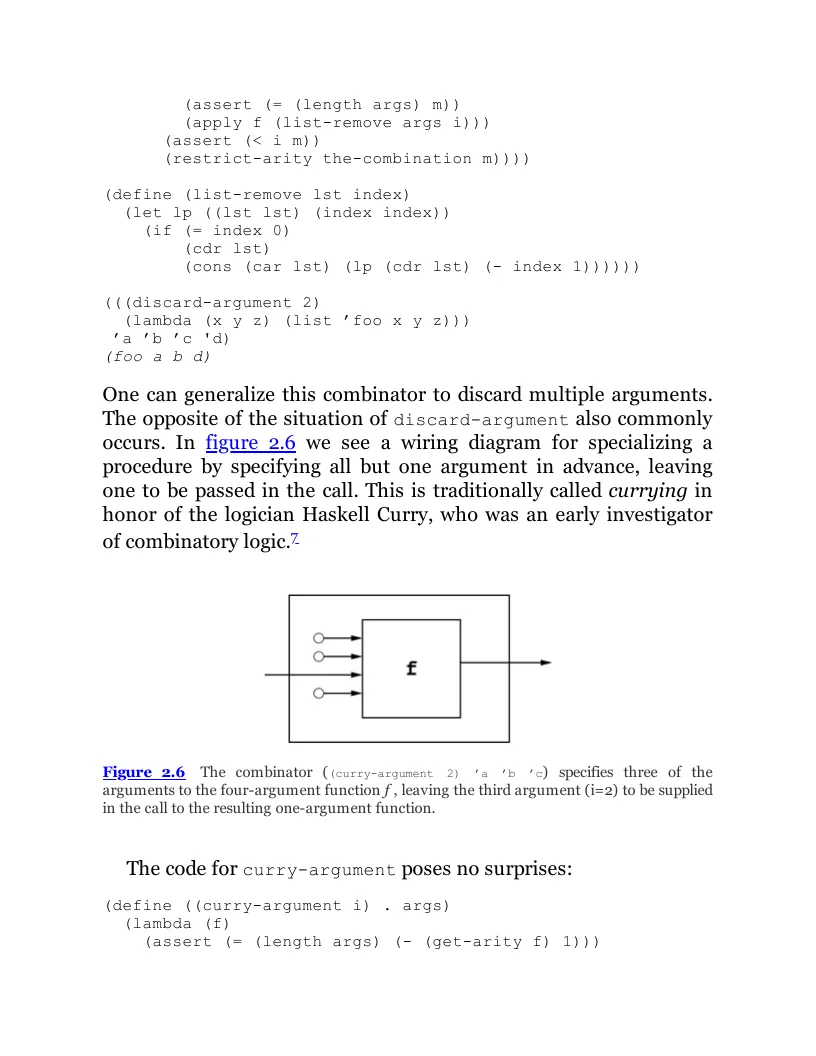
“We control complexity by building abstractions that hide details.”SICP · Preface
“Conventional interfaces enable us to combine standard pieces.”SICP · Preface
“Programs must be written for people to read.”SICP · Preface
“One can generalize this combinator to discard multiple arguments.”Software Design · p. 60
“The procedure tell! records a premise describing the provenance.”Software Design · p. 400
“Leave the details as soft—as easy to change—as we can.”Pragmatic Programmer · Metaprogramming
“As the pace of change increases, applications are harder to keep relevant.”Pragmatic Programmer · Reversibility
“Keep your code decoupled. Avoid global data.”Pragmatic Programmer · Orthogonality
A boundary earns its keep when one side can change without rewriting the other.Change boundaries.md
04Reading and Studying
One shortcut changes the job, not the page.
Reading keeps the interface quiet. Press ⌘E when the page needs regions, editing tools, and a more deliberate study mode.
page 21 · region05Wikilinks
Books can join the graph.
Select the exact words, choose a note from the native picker, and keep the relationship visible through Backlinks, Unlinked mentions, and Local Graph.
Del buen suceso1 que el valeroso don Quijote tuvo en la espantable y jamás imaginada aventura de los molinos de viento, con otros sucesos dignos de felice recordación2
En esto, descubrieron treinta o cuarenta molinos de viento que hay en aquel campo, y así como don Quijote los vio, dijo a su escudero:
–La ventura va guiando nuestras cosas mejor de lo que acertáramos a desear; porque ves allí, amigo Sancho Panza, donde se descubren treinta o pocos más desaforados gigantes, con quien pienso hacer batalla y quitarles a todos las vidas, con cuyos despojos comenzaremos a enriquecer, que ésta es buena guerra,3 y es gran servicio de Dios quitar tan mala simiente de sobre la faz de la tierra.4
–¿Qué gigantes? –dijo Sancho Panza.
–Aquellos que allí ves –respondió su amo–, de los brazos largos, que los suelen tener algunos de casi dos leguas.
–Mire vuestra merced –respondió Sancho– que aquellos que allí se parecen no son gigantes,5 sino molinos de viento, y lo que en ellos parecen brazos son las aspas, que, volteadas del viento, hacen andar la piedra del molino.
–Bien parece –respondió don Quijote– que no estás cursado en esto de las aventuras:6 ellos son gigantes; y si tienes miedo quítate de ahí, y ponte en oración en el espacio que yo voy a entrar con ellos en fiera y desigual batalla.7
Y, diciendo esto, dio de espuelas a su caballo Rocinante,8 sin atender a las voces que su escudero Sancho le daba, advirtiéndole que sin duda alguna eran molinos de viento, y no gigantes, aquellos que iba a acometer. Pero él iba tan puesto en que eran gigantes,9 que ni oía las voces de su escudero Sancho, ni echaba de ver, aunque estaba ya bien cerca, lo que eran, antes iba diciendo en voces altas:
–Non fuyades,10 cobardes y viles criaturas, que un solo caballero es el que os acomete.
Levantose en esto un poco de viento, y las grandes aspas comenzaron a moverse, lo cual visto por don Quijote, dijo:
–Pues aunque mováis más brazos que los del gigante Briareo,11 me lo habéis de pagar.
Y en diciendo esto, y encomendándose de todo corazón a su señora Dulcinea, pidiéndole que en tal trance le socorriese, bien cubierto de su rodela, con la lanza en el ristre,12 arremetió a todo el galope de Rocinante y embistió con el primero molino que estaba delante; y dándole una lanzada en el aspa, la volvió el viento con tanta furia, que hizo la lanza pedazos, llevándose tras sí al caballo y al caballero,13 que fue rodando muy maltrecho por el campo. Acudió Sancho Panza a socorrerle, a todo el correr de su asno, y cuando llegó halló que no se podía menear: tal fue el golpe que dio con él Rocinante.
–¡Válame Dios! –dijo Sancho–. ¿No le dije yo a vuestra merced que mirase bien lo que hacía, que no eran sino molinos de viento, y no lo podía ignorar sino quien llevase otros tales en la cabeza?
–Calla, amigo Sancho –respondió don Quijote–, que las cosas de la guerra más que otras están sujetas a continua mudanza;14 cuanto más, que yo pienso, y es así verdad,15 que aquel sabio Frestón que me robó el aposento y los libros ha vuelto estos gigantes en molinos, por quitarme la gloria de su vencimiento: tal es la enemistad que me tiene; mas al cabo al cabo16 han de poder poco sus malas artes contra la bondad de mi espada.
–Dios lo haga como puede –respondió Sancho Panza.
Y, ayudándole a levantar, tornó a subir sobre Rocinante, que medio despaldado estaba.17 Y, hablando en la pasada aventura,18 siguieron el camino del Puerto Lápice,19 porque allí decía don Quijote que no era posible dejar de hallarse muchas y diversas aventuras, por ser lugar muy pasajero;20 sino que iba muy pesa roso, por haberle faltado la lanza; y diciéndoselo a su escudero, le dijo:
03Source-aware reading
Every excerpt can point back to the exact page.
An EPUB passage remembers its chapter and a PDF selection remembers its page. Your note stays ordinary Markdown while every excerpt keeps a route back into the reader.
01Source-linked notes
Create the note without closing the book.
Select the passage, create a note, and keep book and note in view. The note begins with a durable route back to the exact fragment that prompted it.
Que trata de la condición y ejercicio del famoso y valiente hidalgo don Quijote de la Mancha1
En un lugar de la Mancha,2 de cuyo nombre no quiero acordarme,3 no ha mucho tiempo que vivía un hidalgo de los de lanza en astillero, adarga antigua, rocín flaco y galgo corredor.4 Una olla de algo más vaca que carnero, salpicón las más noches,5 duelos y quebrantos los sábados,6 lantejas los viernes,7 algún palomino de añadidura los domingos,8 consumían las tres partes de su hacienda.9 El resto della concluían sayo de velarte,10 calzas de velludo para las fiestas, con sus pantuflos de lo mesmo,11 y los días de entresemana se honraba con su vellorí de lo más fino.12 Tenía en su casa una ama que pasaba de los cuarenta y una sobrina que no llegaba a los veinte, y un mozo de campo y plaza13 que así ensillaba el rocín como tomaba la podadera. Frisaba la edad de nuestro hidalgo con los cincuenta años.14 Era de complexión recia, seco de carnes, enjuto de rostro,15 gran madrugador y amigo de la caza. Quieren decir que tenía el sobrenombre de «Quijada», o «Quesada», que en esto hay alguna diferencia en los autores que deste caso escriben, aunque por conjeturas verisímiles se deja entender que se llamaba «Quijana».16 Pero esto importa poco a nuestro cuento: basta que en la narración dél no se salga un punto de la verdad.
Es, pues, de saber que este sobredicho hidalgo, los ratos que estaba ocioso –que eran los más del año–, se daba a leer libros de caballerías, con tanta afición y gusto, que olvidó casi de todo punto el ejercicio de la caza y aun la administración de su hacienda; y llegó a tanto su curiosidad17 y desatino en esto, que vendió muchas hanegas de tierra de sembradura para comprar libros de caballerías en que leer,18 y, así, llevó a su casa todos cuantos pudo haber dellos; y, de todos, ningunos le parecían tan bien como los que compuso el famoso Feliciano de Silva,19 porque la claridad de su prosa y aquellas entricadas razones suyas le parecían de perlas, y más cuando llegaba a leer aquellos requiebros y cartas de desafíos,20 donde en muchas partes hallaba escrito: «La razón de la sinrazón que a mi razón se hace, de tal manera mi razón enflaquece, que con razón me quejo de la vuestra fermosura».21 Y también cuando leía: «Los altos cielos que de vuestra divinidad divinamente con las estrellas os fortifican y os hacen merecedora del merecimiento que merece la vuestra grandeza…».22
Con estas razones perdía el pobre caballero el juicio, y desvelábase por entenderlas y desentrañarles el sentido, que no se lo sacara ni las entendiera el mesmo Aristóteles, si resucitara para sólo ello. No estaba muy bien con las heridas que don Belianís daba y recebía, porque se imaginaba que, por grandes maestros que le hubiesen curado, no dejaría de tener el rostro y todo el cuerpo lleno de cicatrices y señales.23 Pero, con todo, alababa en su autor aquel acabar su libro con la promesa de aquella inacabable aventura, y muchas veces le vino deseo de tomar la pluma y dalle fin al pie de la letra como allí se promete;24 y sin duda alguna lo hiciera, y aun saliera con ello,25 si otros mayores y continuos pensamientos no se lo estorbaran. Tuvo muchas veces competencia con el cura de su lugar –que era hombre docto, graduado en Cigüenza–26 sobre cuál había sido mejor caballero: Palmerín de Ingalaterra o Amadís de Gaula;27 mas maese Nicolás, barbero del mesmo pueblo,28 decía que ninguno llegaba al Caballero del Febo, y que si alguno se le podía comparar era don Galaor, hermano de Amadís de Gaula, porque tenía muy acomodada condición para todo, que no era caballero melindroso, ni tan llorón como su hermano, y que en lo de la valentía no le iba en zaga.29
En resolución, él se enfrascó tanto en su letura, que se le pasaban las noches leyendo de claro en claro,30 y los días de turbio en turbio; y así, del poco dormir y del mucho leer, se le secó el celebro de manera que vino a perder el juicio.31 Llenósele la fantasía de todo aquello que leía en los libros, así de encantamentos como de pendencias, batallas, desafíos, heridas, requiebros, amores, tormentas y disparates imposibles; y asentósele de tal modo en la imaginación que era verdad toda aquella máquina de aquellas soñadas invenciones que leía,32 que para él no había otra historia más cierta en el mundo.33 Decía él que el Cid Ruy Díaz había sido muy buen caballero, pero que no tenía que ver con el Caballero de la Ardiente Espada, que de sólo un revés había partido por medio dos fieros y descomunales gigantes.34 Mejor estaba con Bernardo del Carpio, porque en Roncesvalles había muerto a Roldán, el encantado,35 valiéndose de la industria de Hércules, cuando ahogó a Anteo, el hijo de la Tierra, entre los brazos.36 Decía mucho bien del gigante Morgante, porque, con ser de aquella generación gigantea, que todos son soberbios y descomedidos, él solo era afable y bien criado.37 Pero, sobre todos, estaba bien con Reinaldos de Montalbán, y más cuando le veía salir de su castillo y robar cuantos topaba, y cuando en allende robó aquel ídolo de Mahoma que era todo de oro, según dice su historia.38 Diera él, por dar una mano de coces al traidor de Galalón,39 al ama que tenía, y aun a su sobrina de añadidura.
En efeto, rematado ya su juicio,40 vino a dar en el más estraño pensamiento que jamás dio loco en el mundo,41 y fue que le pareció convenible y necesario, así para el aumento de su honra como para el servicio de su república,42 hacerse caballero andante y irse por todo el mundo con sus armas y caballo a buscar las aventuras y a ejercitarse en todo aquello que él había leído que los caballeros andantes se ejercitaban, deshaciendo todo género de agravio y poniéndose en ocasiones y peligros donde, acabándolos,43 cobrase eterno nombre y fama. Imaginábase el pobre ya coronado por el valor de su brazo, por lo menos del imperio de Trapisonda;44 y así, con estos tan agradables pensamientos, llevado del estraño gusto que en ellos sentía,45 se dio priesa a poner en efeto lo que deseaba. Y lo primero que hizo fue limpiar unas armas que habían sido de sus bisabuelos, que, tomadas de orín y llenas de moho, luengos siglos había que estaban puestas y olvidadas en un rincón. Limpiolas y aderezolas lo mejor que pudo; pero vio que tenían una gran falta, y era que no tenían celada de encaje, sino morrión simple;46 mas a esto suplió su industria,47 porque de cartones hizo un modo de media celada que, encajada con el morrión, hacían una apariencia de celada entera.48 Es verdad que, para probar si era fuerte y podía estar al riesgo de una cuchillada,49 sacó su espada50 y le dio dos golpes,51 y con el primero y en un punto deshizo lo que había hecho en una semana; y no dejó de parecerle mal la facilidad con que la había hecho pedazos, y, por asegurarse deste peligro,52 la tornó a hacer de nuevo, poniéndole unas barras de hierro por de dentro, de tal manera, que él quedó satisfecho de su fortaleza y, sin querer hacer nueva experiencia della, la diputó y tuvo por celada finísima de encaje.
Fue luego a ver su rocín, y aunque tenía más cuartos que un real53 y más tachas que el caballo de Gonela, que «tantum pellis et ossa fuit»,54 le pareció que ni el Bucéfalo de Alejandro ni Babieca el del Cid con él se igualaban. Cuatro días se le pasaron en imaginar qué nombre le pondría;55 porque –según se decía él a sí mesmo– no era razón que caballo de caballero tan famoso, y tan bueno él por sí, estuviese sin nombre conocido;56 y ansí procuraba acomodársele, de manera que declarase quién había sido antes que fuese de caballero andante y lo que era entonces; pues estaba muy puesto en razón que, mudando su señor estado, mudase él también el nombre, y le cobrase famoso y de estruendo, como convenía a la nueva orden y al nuevo ejercicio que ya profesaba;57 y así, después de muchos nombres que formó, borró y quitó, añadió, deshizo y tornó a hacer en su memoria e imaginación,58 al fin le vino a llamar «Rocinante», nombre, a su parecer, alto, sonoro y significativo de lo que había sido cuando fue rocín, antes de lo que ahora era, que era antes y primero de todos los rocines del mundo.59
The source remains connected to [[Windmills, giants, and perception]].

Captivity as method
Reading becomes research when the claim and the source can continue to travel together.
How can a deterministic account produce behavior that cannot be predicted indefinitely?
Evidence
The source note keeps the exact passage address while the synthesis remains ordinary Markdown.
Source thread
- Don Quijote · Chapter I passage
- Cervantes in Algiers · page 21 selection
- Passages Base · reading index
02Live PDF regions
Bring text and figures into the same note.
Select text from one PDF, insert it into Markdown, continue into a second book, and add a differently colored figure selection directly below it.
page 21 · regionp. 299 · standard mapThe account and the diagram make different kinds of evidence visible. Keeping both selections beside the claim makes the comparison inspectable.
Selected evidence

“Writing from his prison, Sosa claimed that he wrote every single day…”
The chaotic sea still contains islands of regular behavior.
03Live collections
Build the index your research needs.
Turn highlights and annotations into queryable items, then shape custom collections around source, topic, status, or any property you track.
Que trata de la condición y ejercicio del famoso y valiente hidalgo don Quijote de la Mancha1
En un lugar de la Mancha,2 de cuyo nombre no quiero acordarme,3 no ha mucho tiempo que vivía un hidalgo de los de lanza en astillero, adarga antigua, rocín flaco y galgo corredor.4 Una olla de algo más vaca que carnero, salpicón las más noches,5 duelos y quebrantos los sábados,6 lantejas los viernes,7 algún palomino de añadidura los domingos,8 consumían las tres partes de su hacienda.9 El resto della concluían sayo de velarte,10 calzas de velludo para las fiestas, con sus pantuflos de lo mesmo,11 y los días de entresemana se honraba con su vellorí de lo más fino.12 Tenía en su casa una ama que pasaba de los cuarenta y una sobrina que no llegaba a los veinte, y un mozo de campo y plaza13 que así ensillaba el rocín como tomaba la podadera. Frisaba la edad de nuestro hidalgo con los cincuenta años.14 Era de complexión recia, seco de carnes, enjuto de rostro,15 gran madrugador y amigo de la caza. Quieren decir que tenía el sobrenombre de «Quijada», o «Quesada», que en esto hay alguna diferencia en los autores que deste caso escriben, aunque por conjeturas verisímiles se deja entender que se llamaba «Quijana».16 Pero esto importa poco a nuestro cuento: basta que en la narración dél no se salga un punto de la verdad.
Es, pues, de saber que este sobredicho hidalgo, los ratos que estaba ocioso –que eran los más del año–, se daba a leer libros de caballerías, con tanta afición y gusto, que olvidó casi de todo punto el ejercicio de la caza y aun la administración de su hacienda; y llegó a tanto su curiosidad17 y desatino en esto, que vendió muchas hanegas de tierra de sembradura para comprar libros de caballerías en que leer,18 y, así, llevó a su casa todos cuantos pudo haber dellos; y, de todos, ningunos le parecían tan bien como los que compuso el famoso Feliciano de Silva,19 porque la claridad de su prosa y aquellas entricadas razones suyas le parecían de perlas, y más cuando llegaba a leer aquellos requiebros y cartas de desafíos,20 donde en muchas partes hallaba escrito: «La razón de la sinrazón que a mi razón se hace, de tal manera mi razón enflaquece, que con razón me quejo de la vuestra fermosura».21 Y también cuando leía: «Los altos cielos que de vuestra divinidad divinamente con las estrellas os fortifican y os hacen merecedora del merecimiento que merece la vuestra grandeza…».22
Con estas razones perdía el pobre caballero el juicio, y desvelábase por entenderlas y desentrañarles el sentido, que no se lo sacara ni las entendiera el mesmo Aristóteles, si resucitara para sólo ello. No estaba muy bien con las heridas que don Belianís daba y recebía, porque se imaginaba que, por grandes maestros que le hubiesen curado, no dejaría de tener el rostro y todo el cuerpo lleno de cicatrices y señales.23 Pero, con todo, alababa en su autor aquel acabar su libro con la promesa de aquella inacabable aventura, y muchas veces le vino deseo de tomar la pluma y dalle fin al pie de la letra como allí se promete;24 y sin duda alguna lo hiciera, y aun saliera con ello,25 si otros mayores y continuos pensamientos no se lo estorbaran. Tuvo muchas veces competencia con el cura de su lugar –que era hombre docto, graduado en Cigüenza–26 sobre cuál había sido mejor caballero: Palmerín de Ingalaterra o Amadís de Gaula;27 mas maese Nicolás, barbero del mesmo pueblo,28 decía que ninguno llegaba al Caballero del Febo, y que si alguno se le podía comparar era don Galaor, hermano de Amadís de Gaula, porque tenía muy acomodada condición para todo, que no era caballero melindroso, ni tan llorón como su hermano, y que en lo de la valentía no le iba en zaga.29
En resolución, él se enfrascó tanto en su letura, que se le pasaban las noches leyendo de claro en claro,30 y los días de turbio en turbio; y así, del poco dormir y del mucho leer, se le secó el celebro de manera que vino a perder el juicio.31 Llenósele la fantasía de todo aquello que leía en los libros, así de encantamentos como de pendencias, batallas, desafíos, heridas, requiebros, amores, tormentas y disparates imposibles; y asentósele de tal modo en la imaginación que era verdad toda aquella máquina de aquellas soñadas invenciones que leía,32 que para él no había otra historia más cierta en el mundo.33 Decía él que el Cid Ruy Díaz había sido muy buen caballero, pero que no tenía que ver con el Caballero de la Ardiente Espada, que de sólo un revés había partido por medio dos fieros y descomunales gigantes.34 Mejor estaba con Bernardo del Carpio, porque en Roncesvalles había muerto a Roldán, el encantado,35 valiéndose de la industria de Hércules, cuando ahogó a Anteo, el hijo de la Tierra, entre los brazos.36 Decía mucho bien del gigante Morgante, porque, con ser de aquella generación gigantea, que todos son soberbios y descomedidos, él solo era afable y bien criado.37 Pero, sobre todos, estaba bien con Reinaldos de Montalbán, y más cuando le veía salir de su castillo y robar cuantos topaba, y cuando en allende robó aquel ídolo de Mahoma que era todo de oro, según dice su historia.38 Diera él, por dar una mano de coces al traidor de Galalón,39 al ama que tenía, y aun a su sobrina de añadidura.
En efeto, rematado ya su juicio,40 vino a dar en el más estraño pensamiento que jamás dio loco en el mundo,41 y fue que le pareció convenible y necesario, así para el aumento de su honra como para el servicio de su república,42 hacerse caballero andante y irse por todo el mundo con sus armas y caballo a buscar las aventuras y a ejercitarse en todo aquello que él había leído que los caballeros andantes se ejercitaban, deshaciendo todo género de agravio y poniéndose en ocasiones y peligros donde, acabándolos,43 cobrase eterno nombre y fama. Imaginábase el pobre ya coronado por el valor de su brazo, por lo menos del imperio de Trapisonda;44 y así, con estos tan agradables pensamientos, llevado del estraño gusto que en ellos sentía,45 se dio priesa a poner en efeto lo que deseaba. Y lo primero que hizo fue limpiar unas armas que habían sido de sus bisabuelos, que, tomadas de orín y llenas de moho, luengos siglos había que estaban puestas y olvidadas en un rincón. Limpiolas y aderezolas lo mejor que pudo; pero vio que tenían una gran falta, y era que no tenían celada de encaje, sino morrión simple;46 mas a esto suplió su industria,47 porque de cartones hizo un modo de media celada que, encajada con el morrión, hacían una apariencia de celada entera.48 Es verdad que, para probar si era fuerte y podía estar al riesgo de una cuchillada,49 sacó su espada50 y le dio dos golpes,51 y con el primero y en un punto deshizo lo que había hecho en una semana; y no dejó de parecerle mal la facilidad con que la había hecho pedazos, y, por asegurarse deste peligro,52 la tornó a hacer de nuevo, poniéndole unas barras de hierro por de dentro, de tal manera, que él quedó satisfecho de su fortaleza y, sin querer hacer nueva experiencia della, la diputó y tuvo por celada finísima de encaje.
Fue luego a ver su rocín, y aunque tenía más cuartos que un real53 y más tachas que el caballo de Gonela, que «tantum pellis et ossa fuit»,54 le pareció que ni el Bucéfalo de Alejandro ni Babieca el del Cid con él se igualaban. Cuatro días se le pasaron en imaginar qué nombre le pondría;55 porque –según se decía él a sí mesmo– no era razón que caballo de caballero tan famoso, y tan bueno él por sí, estuviese sin nombre conocido;56 y ansí procuraba acomodársele, de manera que declarase quién había sido antes que fuese de caballero andante y lo que era entonces; pues estaba muy puesto en razón que, mudando su señor estado, mudase él también el nombre, y le cobrase famoso y de estruendo, como convenía a la nueva orden y al nuevo ejercicio que ya profesaba;57 y así, después de muchos nombres que formó, borró y quitó, añadió, deshizo y tornó a hacer en su memoria e imaginación,58 al fin le vino a llamar «Rocinante», nombre, a su parecer, alto, sonoro y significativo de lo que había sido cuando fue rocín, antes de lo que ahora era, que era antes y primero de todos los rocines del mundo.59
| Passage | Source | Topic |
|---|---|---|
| Inn as castle | Chapter I | fiction |
| Writing from prison | page 21 | archive |
| Remembering otherwise | Chapter I | method |
04Two formats, one reader
Keep what makes each source itself.
EPUB and PDF do not need the same internal model to participate in the same vault. Amnesia preserves the address each format can actually keep.
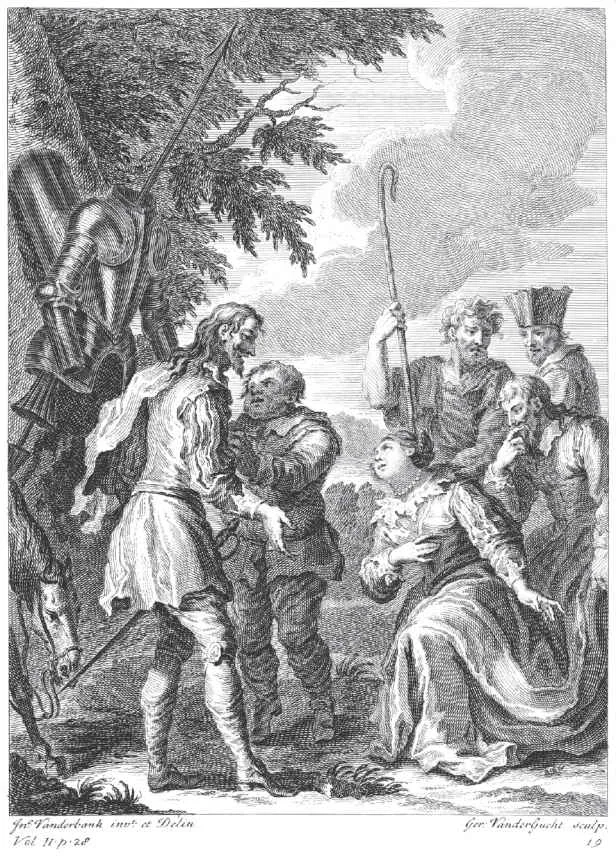
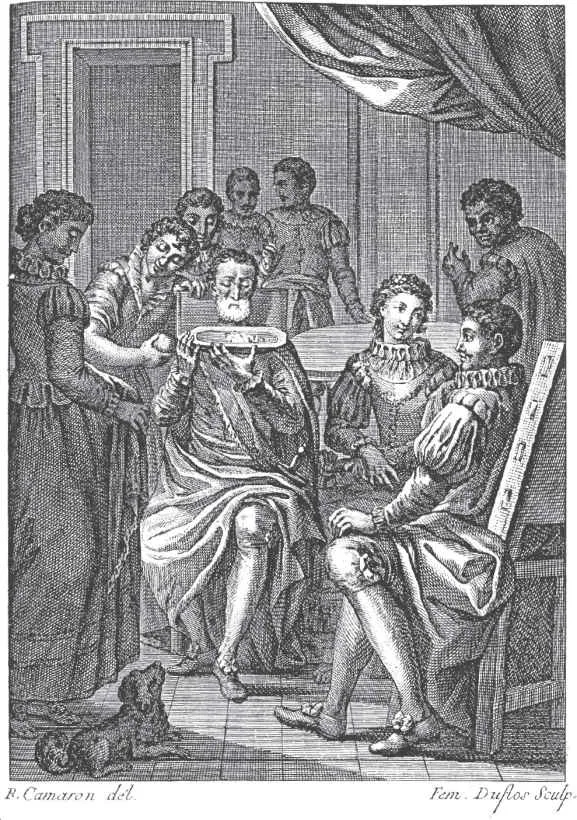
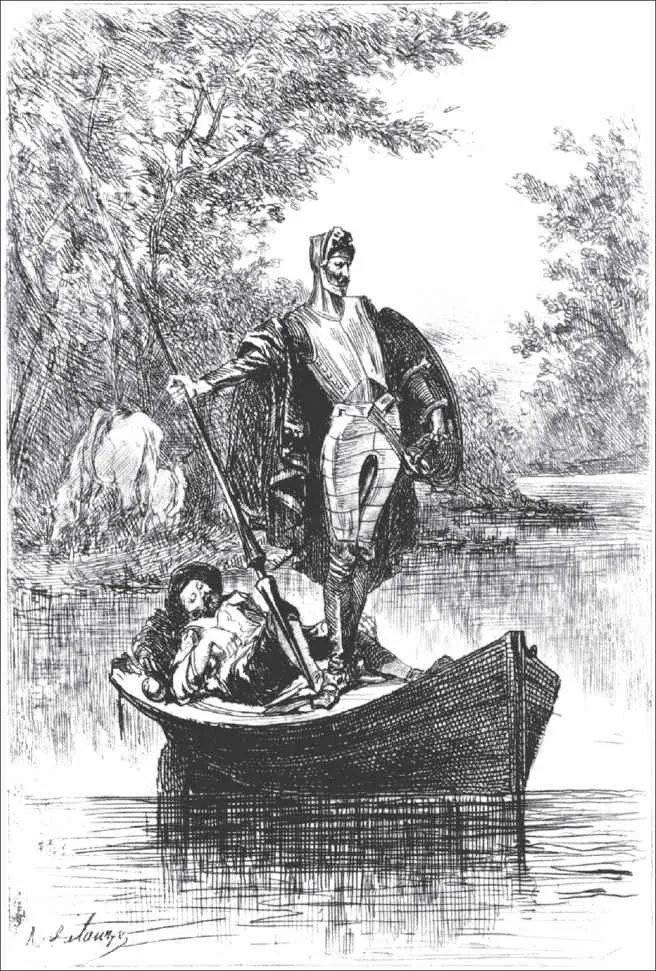
Chapter I · opening passagePage 21 · selected text05Device dispositions
The reading desk travels.
The iPad keeps the familiar Obsidian shell and touch-sized reader controls. On the phone, the same EPUB reflows into a comfortable single column instead of shrinking the desktop page.
iPadThe chapter list and active page remain together, with the reading controls in reach.
PhoneDon Quijote keeps its type, tools, and reading progress while the prose fits the narrower measure.
Que trata de la condición y ejercicio del famoso y valiente hidalgo don Quijote de la Mancha1
En un lugar de la Mancha,2 de cuyo nombre no quiero acordarme,3 no ha mucho tiempo que vivía un hidalgo de los de lanza en astillero, adarga antigua, rocín flaco y galgo corredor.4 Una olla de algo más vaca que carnero, salpicón las más noches,5 duelos y quebrantos los sábados,6 lantejas los viernes,7 algún palomino de añadidura los domingos,8 consumían las tres partes de su hacienda.9 El resto della concluían sayo de velarte,10 calzas de velludo para las fiestas, con sus pantuflos de lo mesmo,11 y los días de entresemana se honraba con su vellorí de lo más fino.12 Tenía en su casa una ama que pasaba de los cuarenta y una sobrina que no llegaba a los veinte, y un mozo de campo y plaza13 que así ensillaba el rocín como tomaba la podadera. Frisaba la edad de nuestro hidalgo con los cincuenta años.14 Era de complexión recia, seco de carnes, enjuto de rostro,15 gran madrugador y amigo de la caza. Quieren decir que tenía el sobrenombre de «Quijada», o «Quesada», que en esto hay alguna diferencia en los autores que deste caso escriben, aunque por conjeturas verisímiles se deja entender que se llamaba «Quijana».16 Pero esto importa poco a nuestro cuento: basta que en la narración dél no se salga un punto de la verdad.
Es, pues, de saber que este sobredicho hidalgo, los ratos que estaba ocioso –que eran los más del año–, se daba a leer libros de caballerías, con tanta afición y gusto, que olvidó casi de todo punto el ejercicio de la caza y aun la administración de su hacienda; y llegó a tanto su curiosidad17 y desatino en esto, que vendió muchas hanegas de tierra de sembradura para comprar libros de caballerías en que leer,18 y, así, llevó a su casa todos cuantos pudo haber dellos; y, de todos, ningunos le parecían tan bien como los que compuso el famoso Feliciano de Silva,19 porque la claridad de su prosa y aquellas entricadas razones suyas le parecían de perlas, y más cuando llegaba a leer aquellos requiebros y cartas de desafíos,20 donde en muchas partes hallaba escrito: «La razón de la sinrazón que a mi razón se hace, de tal manera mi razón enflaquece, que con razón me quejo de la vuestra fermosura».21 Y también cuando leía: «Los altos cielos que de vuestra divinidad divinamente con las estrellas os fortifican y os hacen merecedora del merecimiento que merece la vuestra grandeza…».22
Con estas razones perdía el pobre caballero el juicio, y desvelábase por entenderlas y desentrañarles el sentido, que no se lo sacara ni las entendiera el mesmo Aristóteles, si resucitara para sólo ello. No estaba muy bien con las heridas que don Belianís daba y recebía, porque se imaginaba que, por grandes maestros que le hubiesen curado, no dejaría de tener el rostro y todo el cuerpo lleno de cicatrices y señales.23 Pero, con todo, alababa en su autor aquel acabar su libro con la promesa de aquella inacabable aventura, y muchas veces le vino deseo de tomar la pluma y dalle fin al pie de la letra como allí se promete;24 y sin duda alguna lo hiciera, y aun saliera con ello,25 si otros mayores y continuos pensamientos no se lo estorbaran. Tuvo muchas veces competencia con el cura de su lugar –que era hombre docto, graduado en Cigüenza–26 sobre cuál había sido mejor caballero: Palmerín de Ingalaterra o Amadís de Gaula;27 mas maese Nicolás, barbero del mesmo pueblo,28 decía que ninguno llegaba al Caballero del Febo, y que si alguno se le podía comparar era don Galaor, hermano de Amadís de Gaula, porque tenía muy acomodada condición para todo, que no era caballero melindroso, ni tan llorón como su hermano, y que en lo de la valentía no le iba en zaga.29
En resolución, él se enfrascó tanto en su letura, que se le pasaban las noches leyendo de claro en claro,30 y los días de turbio en turbio; y así, del poco dormir y del mucho leer, se le secó el celebro de manera que vino a perder el juicio.31 Llenósele la fantasía de todo aquello que leía en los libros, así de encantamentos como de pendencias, batallas, desafíos, heridas, requiebros, amores, tormentas y disparates imposibles; y asentósele de tal modo en la imaginación que era verdad toda aquella máquina de aquellas soñadas invenciones que leía,32 que para él no había otra historia más cierta en el mundo.33 Decía él que el Cid Ruy Díaz había sido muy buen caballero, pero que no tenía que ver con el Caballero de la Ardiente Espada, que de sólo un revés había partido por medio dos fieros y descomunales gigantes.34 Mejor estaba con Bernardo del Carpio, porque en Roncesvalles había muerto a Roldán, el encantado,35 valiéndose de la industria de Hércules, cuando ahogó a Anteo, el hijo de la Tierra, entre los brazos.36 Decía mucho bien del gigante Morgante, porque, con ser de aquella generación gigantea, que todos son soberbios y descomedidos, él solo era afable y bien criado.37 Pero, sobre todos, estaba bien con Reinaldos de Montalbán, y más cuando le veía salir de su castillo y robar cuantos topaba, y cuando en allende robó aquel ídolo de Mahoma que era todo de oro, según dice su historia.38 Diera él, por dar una mano de coces al traidor de Galalón,39 al ama que tenía, y aun a su sobrina de añadidura.
En efeto, rematado ya su juicio,40 vino a dar en el más estraño pensamiento que jamás dio loco en el mundo,41 y fue que le pareció convenible y necesario, así para el aumento de su honra como para el servicio de su república,42 hacerse caballero andante y irse por todo el mundo con sus armas y caballo a buscar las aventuras y a ejercitarse en todo aquello que él había leído que los caballeros andantes se ejercitaban, deshaciendo todo género de agravio y poniéndose en ocasiones y peligros donde, acabándolos,43 cobrase eterno nombre y fama. Imaginábase el pobre ya coronado por el valor de su brazo, por lo menos del imperio de Trapisonda;44 y así, con estos tan agradables pensamientos, llevado del estraño gusto que en ellos sentía,45 se dio priesa a poner en efeto lo que deseaba. Y lo primero que hizo fue limpiar unas armas que habían sido de sus bisabuelos, que, tomadas de orín y llenas de moho, luengos siglos había que estaban puestas y olvidadas en un rincón. Limpiolas y aderezolas lo mejor que pudo; pero vio que tenían una gran falta, y era que no tenían celada de encaje, sino morrión simple;46 mas a esto suplió su industria,47 porque de cartones hizo un modo de media celada que, encajada con el morrión, hacían una apariencia de celada entera.48 Es verdad que, para probar si era fuerte y podía estar al riesgo de una cuchillada,49 sacó su espada50 y le dio dos golpes,51 y con el primero y en un punto deshizo lo que había hecho en una semana; y no dejó de parecerle mal la facilidad con que la había hecho pedazos, y, por asegurarse deste peligro,52 la tornó a hacer de nuevo, poniéndole unas barras de hierro por de dentro, de tal manera, que él quedó satisfecho de su fortaleza y, sin querer hacer nueva experiencia della, la diputó y tuvo por celada finísima de encaje.
Fue luego a ver su rocín, y aunque tenía más cuartos que un real53 y más tachas que el caballo de Gonela, que «tantum pellis et ossa fuit»,54 le pareció que ni el Bucéfalo de Alejandro ni Babieca el del Cid con él se igualaban. Cuatro días se le pasaron en imaginar qué nombre le pondría;55 porque –según se decía él a sí mesmo– no era razón que caballo de caballero tan famoso, y tan bueno él por sí, estuviese sin nombre conocido;56 y ansí procuraba acomodársele, de manera que declarase quién había sido antes que fuese de caballero andante y lo que era entonces; pues estaba muy puesto en razón que, mudando su señor estado, mudase él también el nombre, y le cobrase famoso y de estruendo, como convenía a la nueva orden y al nuevo ejercicio que ya profesaba;57 y así, después de muchos nombres que formó, borró y quitó, añadió, deshizo y tornó a hacer en su memoria e imaginación,58 al fin le vino a llamar «Rocinante», nombre, a su parecer, alto, sonoro y significativo de lo que había sido cuando fue rocín, antes de lo que ahora era, que era antes y primero de todos los rocines del mundo.59
Del buen suceso1 que el valeroso don Quijote tuvo en la espantable y jamás imaginada aventura de los molinos de viento, con otros sucesos dignos de felice recordación2
En esto, descubrieron treinta o cuarenta molinos de viento que hay en aquel campo, y así como don Quijote los vio, dijo a su escudero:
–La ventura va guiando nuestras cosas mejor de lo que acertáramos a desear; porque ves allí, amigo Sancho Panza, donde se descubren treinta o pocos más desaforados gigantes, con quien pienso hacer batalla y quitarles a todos las vidas, con cuyos despojos comenzaremos a enriquecer, que ésta es buena guerra,3 y es gran servicio de Dios quitar tan mala simiente de sobre la faz de la tierra.4
–¿Qué gigantes? –dijo Sancho Panza.
–Aquellos que allí ves –respondió su amo–, de los brazos largos, que los suelen tener algunos de casi dos leguas.
–Mire vuestra merced –respondió Sancho– que aquellos que allí se parecen no son gigantes,5 sino molinos de viento, y lo que en ellos parecen brazos son las aspas, que, volteadas del viento, hacen andar la piedra del molino.
–Bien parece –respondió don Quijote– que no estás cursado en esto de las aventuras:6 ellos son gigantes; y si tienes miedo quítate de ahí, y ponte en oración en el espacio que yo voy a entrar con ellos en fiera y desigual batalla.7
Y, diciendo esto, dio de espuelas a su caballo Rocinante,8 sin atender a las voces que su escudero Sancho le daba, advirtiéndole que sin duda alguna eran molinos de viento, y no gigantes, aquellos que iba a acometer. Pero él iba tan puesto en que eran gigantes,9 que ni oía las voces de su escudero Sancho, ni echaba de ver, aunque estaba ya bien cerca, lo que eran, antes iba diciendo en voces altas:
–Non fuyades,10 cobardes y viles criaturas, que un solo caballero es el que os acomete.
Levantose en esto un poco de viento, y las grandes aspas comenzaron a moverse, lo cual visto por don Quijote, dijo:
–Pues aunque mováis más brazos que los del gigante Briareo,11 me lo habéis de pagar.
Y en diciendo esto, y encomendándose de todo corazón a su señora Dulcinea, pidiéndole que en tal trance le socorriese, bien cubierto de su rodela, con la lanza en el ristre,12 arremetió a todo el galope de Rocinante y embistió con el primero molino que estaba delante; y dándole una lanzada en el aspa, la volvió el viento con tanta furia, que hizo la lanza pedazos, llevándose tras sí al caballo y al caballero,13 que fue rodando muy maltrecho por el campo. Acudió Sancho Panza a socorrerle, a todo el correr de su asno, y cuando llegó halló que no se podía menear: tal fue el golpe que dio con él Rocinante.
–¡Válame Dios! –dijo Sancho–. ¿No le dije yo a vuestra merced que mirase bien lo que hacía, que no eran sino molinos de viento, y no lo podía ignorar sino quien llevase otros tales en la cabeza?
–Calla, amigo Sancho –respondió don Quijote–, que las cosas de la guerra más que otras están sujetas a continua mudanza;14 cuanto más, que yo pienso, y es así verdad,15 que aquel sabio Frestón que me robó el aposento y los libros ha vuelto estos gigantes en molinos, por quitarme la gloria de su vencimiento: tal es la enemistad que me tiene; mas al cabo al cabo16
han de poder poco sus malas artes contra la bondad de mi espada.
Que trata de la condición y ejercicio del famoso y valiente hidalgo don Quijote de la Mancha1
En un lugar de la Mancha,2 de cuyo nombre no quiero acordarme,3 no ha mucho tiempo que vivía un hidalgo de los de lanza en astillero, adarga antigua, rocín flaco y galgo corredor.4 Una olla de algo más vaca que carnero, salpicón las más noches,5 duelos y quebrantos los sábados,6 lantejas los viernes,7 algún palomino de añadidura los domingos,8 consumían las tres partes de su hacienda.9 El resto della concluían sayo de velarte,10 calzas de velludo para las fiestas, con sus pantuflos de lo mesmo,11 y los días de entresemana se honraba con su vellorí de lo más fino.12 Tenía en su casa una ama que pasaba de los cuarenta y una sobrina que no llegaba a los veinte, y un mozo de campo y plaza13 que así ensillaba el rocín como tomaba la podadera. Frisaba la edad de nuestro hidalgo con los cincuenta años.14 Era de complexión recia, seco de carnes, enjuto de rostro,15 gran madrugador y amigo de la caza. Quieren decir que tenía el sobrenombre de «Quijada», o «Quesada», que en esto hay alguna diferencia en los autores que deste caso escriben, aunque por conjeturas verisímiles se deja entender que se llamaba «Quijana».16 Pero esto importa poco a nuestro cuento: basta que en la narración dél no se salga un punto de la verdad.
Es, pues, de saber que este sobredicho hidalgo, los ratos que estaba ocioso –que eran los más del año–, se daba a leer libros de caballerías, con tanta afición y gusto, que olvidó casi de todo punto el ejercicio de la caza y aun la administración de su hacienda; y llegó a tanto su curiosidad17 y desatino en esto, que vendió muchas hanegas de tierra de sembradura para comprar libros de caballerías en que leer,18 y, así, llevó a su casa todos cuantos pudo haber dellos; y, de todos, ningunos le parecían tan bien como los que compuso el famoso Feliciano de Silva,19 porque la claridad de su prosa y aquellas entricadas razones suyas le parecían de perlas, y más cuando llegaba a leer aquellos requiebros y cartas de desafíos,20 donde en muchas partes hallaba escrito: «La razón de la sinrazón que a mi razón se hace, de tal manera mi razón enflaquece, que con razón me quejo de la vuestra fermosura».21 Y también cuando leía: «Los altos cielos que de vuestra divinidad divinamente con las estrellas os fortifican y os hacen merecedora del merecimiento que merece la vuestra grandeza…».22
Con estas razones perdía el pobre caballero el juicio, y desvelábase por entenderlas y desentrañarles el sentido, que no se lo sacara ni las entendiera el mesmo Aristóteles, si resucitara para sólo ello. No estaba muy bien con las heridas que don Belianís daba y recebía, porque se imaginaba que, por grandes maestros que le hubiesen curado, no dejaría de tener el rostro y todo el cuerpo lleno de cicatrices y señales.23 Pero, con todo, alababa en su autor aquel acabar su libro con la promesa de aquella inacabable aventura, y muchas veces le vino deseo de tomar la pluma y dalle fin al pie de la letra como allí se promete;24 y sin duda alguna lo hiciera, y aun saliera con ello,25 si otros mayores y continuos pensamientos no se lo estorbaran. Tuvo muchas veces competencia con el cura de su lugar –que era hombre docto, graduado en Cigüenza–26 sobre cuál había sido mejor caballero: Palmerín de Ingalaterra o Amadís de Gaula;27 mas maese Nicolás, barbero del mesmo pueblo,28 decía que ninguno llegaba al Caballero del Febo, y que si alguno se le podía comparar era don Galaor, hermano de Amadís de Gaula, porque tenía muy acomodada condición para todo, que no era caballero melindroso, ni tan llorón como su hermano, y que en lo de la valentía no le iba en zaga.29
En resolución, él se enfrascó tanto en su letura, que se le pasaban las noches leyendo de claro en claro,30 y los días de turbio en turbio; y así, del poco dormir y del mucho leer, se le secó el celebro de manera que vino a perder el juicio.31 Llenósele la fantasía de todo aquello que leía en los libros, así de encantamentos como de pendencias, batallas, desafíos, heridas, requiebros, amores, tormentas y disparates imposibles; y asentósele de tal modo en la imaginación que era verdad toda aquella máquina de aquellas soñadas invenciones que leía,32 que para él no había otra historia más cierta en el mundo.33 Decía él que el Cid Ruy Díaz había sido muy buen caballero, pero que no tenía que ver con el Caballero de la Ardiente Espada, que de sólo un revés había partido por medio dos fieros y descomunales gigantes.34 Mejor estaba con Bernardo del Carpio, porque en Roncesvalles había muerto a Roldán, el encantado,35 valiéndose de la industria de Hércules, cuando ahogó a Anteo, el hijo de la Tierra, entre los brazos.36 Decía mucho bien del gigante Morgante, porque, con ser de aquella generación gigantea, que todos son soberbios y descomedidos, él solo era afable y bien criado.37 Pero, sobre todos, estaba bien con Reinaldos de Montalbán, y más cuando le veía salir de su castillo y robar cuantos topaba, y cuando en allende robó aquel ídolo de Mahoma que era todo de oro, según dice su historia.38 Diera él, por dar una mano de coces al traidor de Galalón,39 al ama que tenía, y aun a su sobrina de añadidura.
06Open source
Help build a better research reader.
Star the repository, sponsor development, or contribute evidence and fixes.